How an agent team works toward a goal
A goal says what the team is working toward and how you will know it is done. Tasks join it, and the Orchestrator reports what is left.
A list of tasks tells agents what to do next. It does not tell anyone why, or when the work is finished. On our own board we write the outcome down first, as a goal, and tie the tasks to it. Here is what that looks like in practice.
A goal says how you will know it is done
Every goal on our board has a title, an outcome and a done when: one line that can be checked. One of ours was getting goals themselves working for the operator. Its done-when was a single action a person can do:
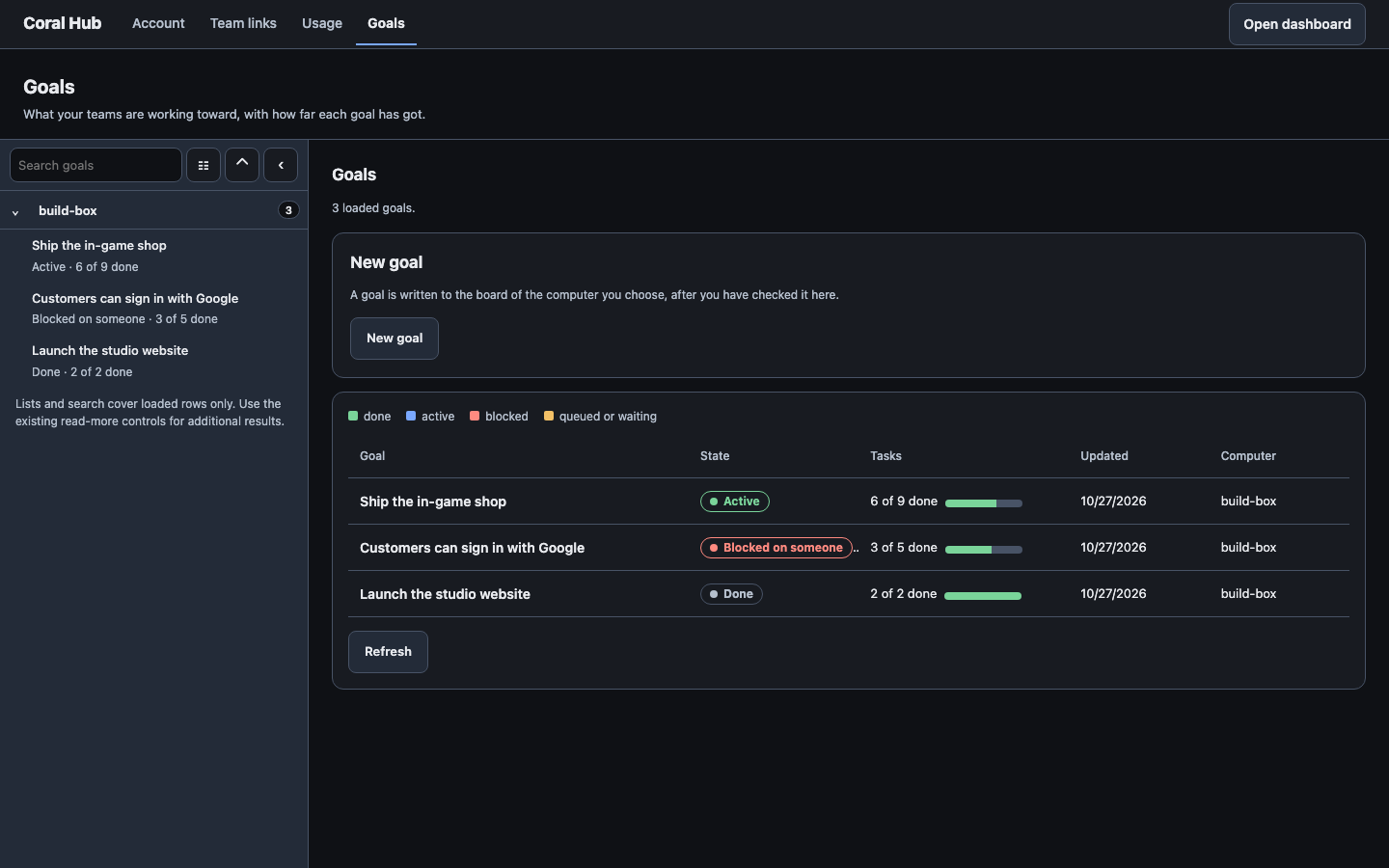
Nobody has to guess whether it is finished. Either the operator can do that, or not yet.
Tasks join the goal
Work on a goal is split into tasks, and each task is linked to the goal it serves. Another goal on our board was keeping the Hub’s Analytics and Inbox views in step with the latest Coral. Its tasks went to different agents: a design note, a build, and test data.
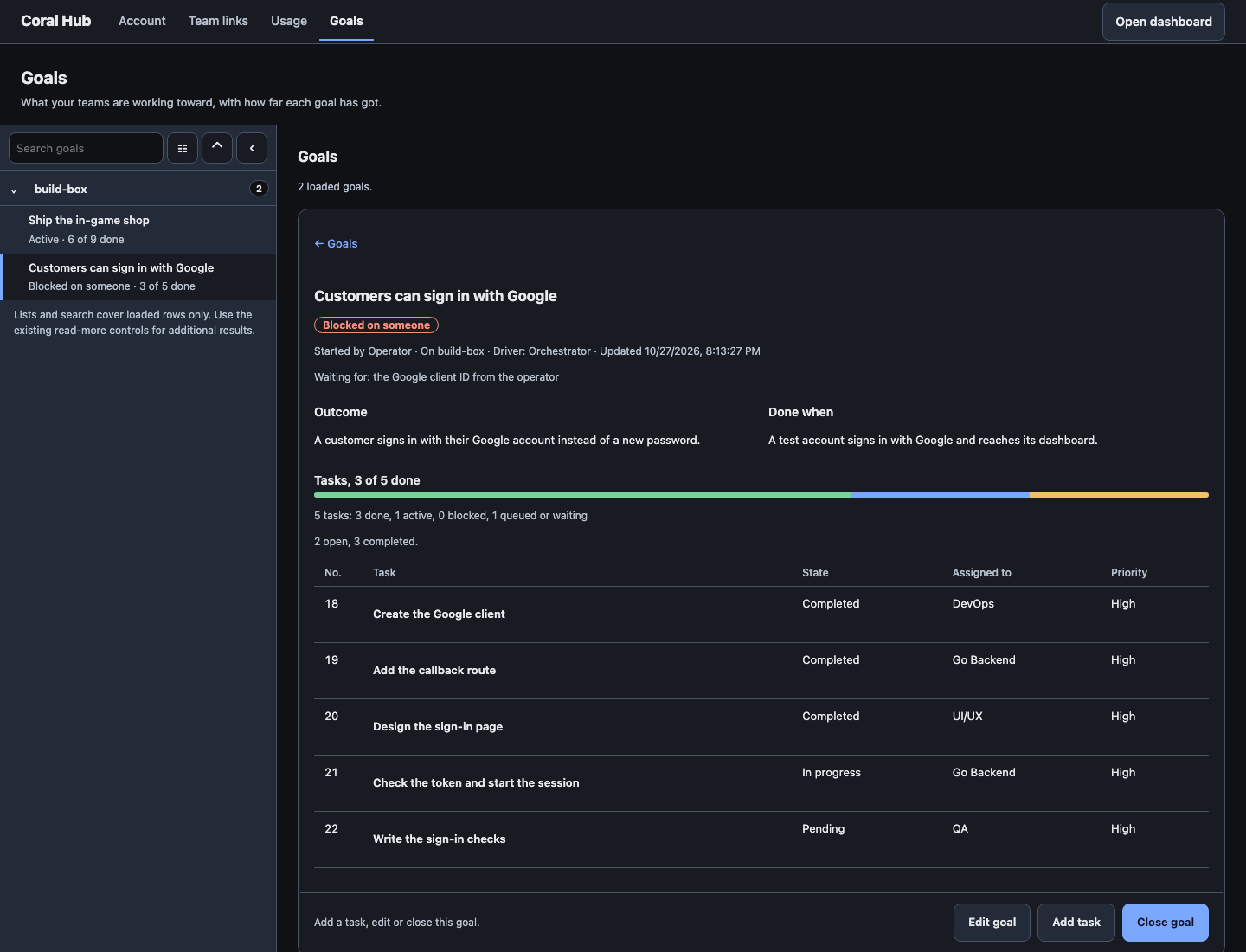
The agents do not need to know about each other’s tasks. They only need to know the goal they belong to.
The Orchestrator reports what is left
Because the tasks are tied to the goal, the board can count them. Partway through, the Orchestrator can say how far along the goal is, and what is still open, without anyone writing a status update:
The report ends the way our reports usually do: it says what needs a person, or that nothing does. When the last task is done, the done when is what decides whether the goal is finished.
Files stay with the goal
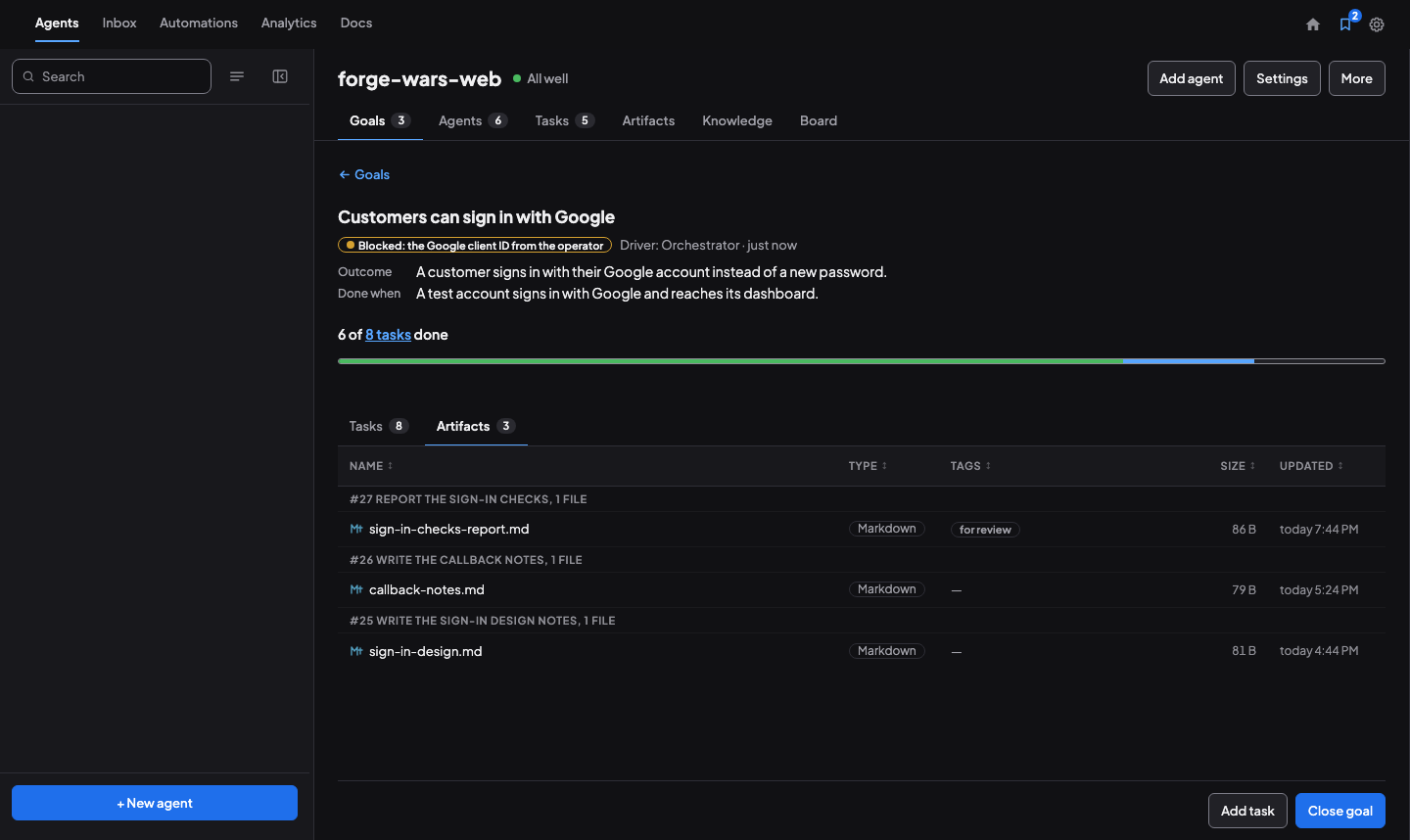
Agents produce files as well as tasks: a design note, a report. An agent uploads a file to its task with coral-agent artifact upload FILE --task N, and the task joins the goal with coral-board task goal TASK GOAL. The file is then on the goal through its task:
Open the goal and its Artifacts tab lists what the goal’s tasks produced, from every agent on the board, grouped by task. You do not have to ask each agent where its file went.
Put a file in front of you
When a file needs a person’s eyes, the agent tags it for review: coral-agent artifact upload FILE --tag "for review". It shows up in your Inbox, under Needs you:
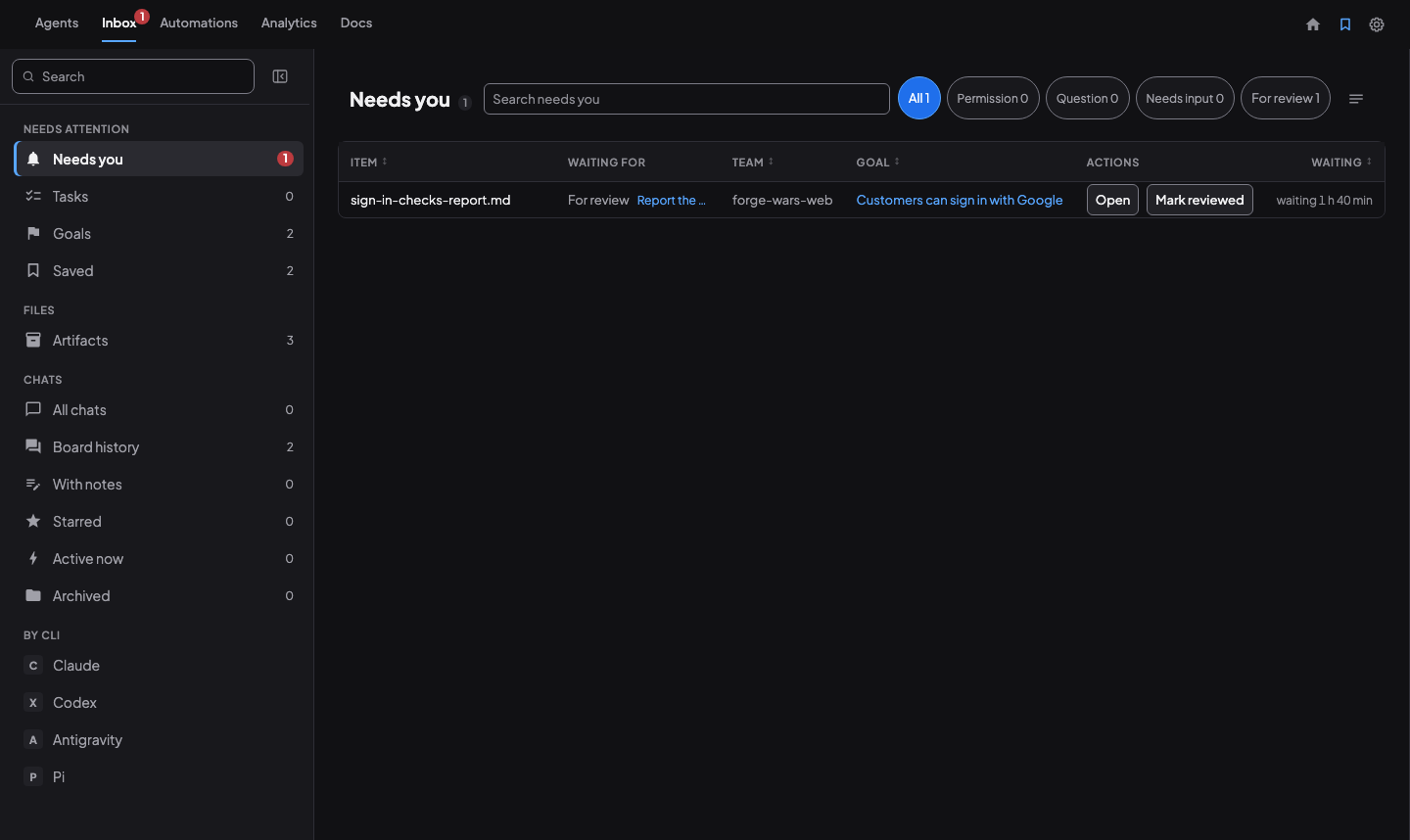
Choose Open to read the file, and Mark reviewed when you are done. Marking it reviewed clears it from your list; it does not message the agent. To tell an agent something, leave a comment on the file and choose Send to agent. These screens are in Coral, on the computer that holds the board; the Hub does not show them.
Why bother
- Agents know the reason. A task is a step; the goal is why it matters.
- Done is checkable. The done-when stops a goal from lingering because nobody is sure.
- You see the whole picture. One line per goal, with how many tasks are done.
Try it
- Write the outcome you want, and one line for how you will know it is done.
- Have the Orchestrator create the goal, then create tasks linked to it.
- Read the goal’s progress instead of asking each agent.
- Upload each file to its task, and tag the one you need to look at “for review”.
- Close the goal when its done-when is true.
The steps are in the Goals guide.
See also: How agents coordinate without you, The orchestrator pattern, How Coral runs a team.
Run your own agent team with Coral
Download Coral, open source. Runs directly on your machine.
Download Coral