Moving from Conductor to Coral
A practical guide for Conductor users: what is changing, how to get your work out, and how to pick it up in Coral.
Time-sensitive. Conductor announced on November 4, 2026 that it is joining Meta. Conductor Cloud becomes read-only on November 13, and Conductor begins deleting Cloud user data on November 20. Local Conductor keeps receiving new models and critical bug fixes until early 2027, when it starts winding down. Checked Nov 7, 2026: Conductor’s announcement. Acquisition reported by Axios, Nov 4, 2026.
- Nov 4 No new sign-ups or downloads. Existing users keep using Conductor.
- Nov 13 Conductor Cloud goes read-only. You can still read chats and export.
- Nov 20 Deletion of Cloud user data begins.
- Early 2027 Local Conductor starts winding down.
Checked Nov 7, 2026: conductor.build/announcement.
What you had in Conductor
Conductor let you run several Claude Code or Codex agents in parallel, each in its own git worktree, with a dashboard showing what each was doing, a view of each agent’s changes, and a way to merge them. Conductor Cloud ran agents in cloud sandboxes.
Checked Nov 6, 2026: madewithlove, CodePick.
What Conductor did well: a quick one-click setup on a Mac, clean per-agent worktree isolation, and a visual dashboard. If all you needed was parallel agents with a view, it was a fast way to get there.
Step 1: Export your work from Conductor
We have not tested these steps on a Conductor account. They come from Conductor’s own announcement. If you find a difference, tell us.
- Cloud workspaces. Right-click a cloud workspace and choose Transfer to local to move it and its chats to your Mac. To download all your data, go to Settings → Account → Export data. Do this before November 20, and sooner is safer.
- Local workspaces. Your code is already in git worktrees on your disk. Note the repository paths.
- Branches. Push the agent branches you want to keep to your remote:
git push origin <branch>.
Checked Nov 7, 2026: conductor.build/announcement.
Step 2: Install Coral
Coral is open source (Apache-2.0). Download the Coral app from GitHub Releases: Coral.dmg for macOS (drag it to Applications), Coral-x64.msi or the portable zip for Windows, or a tarball for Linux. Coral runs on macOS, Windows and Linux; Conductor ran on macOS.
Checked Nov 6, 2026: Conductor on macOS per CodePick. Coral platforms and install options: quickstart. Install steps checked on Nov 7, 2026 against Coral v2.0.59.
You need git and at least one agent tool, such as Claude Code or Codex, the same ones you used with Conductor.
The screenshots in this guide are from Coral v2.0.59. If you use an earlier release, some labels may differ.
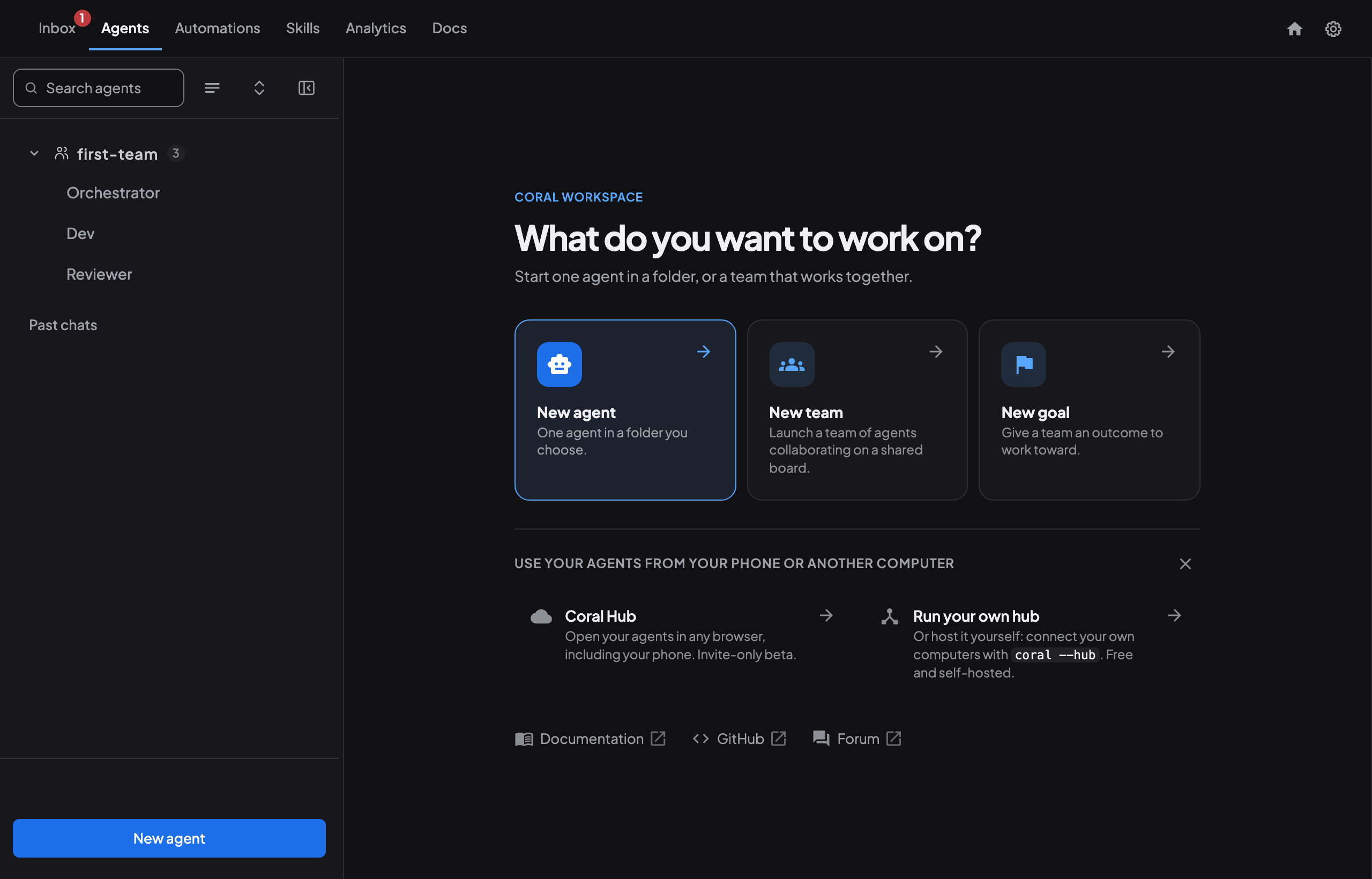
Step 3: Open Coral
On macOS, open Coral from Applications. On Windows, start it from the Start menu (the installer adds it there and offers to launch Coral when setup finishes). On Linux, run the coral program from the tarball, which opens the dashboard in your browser. Set a password on first launch and accept the Terms of Service if asked.
Step 4: Start a team
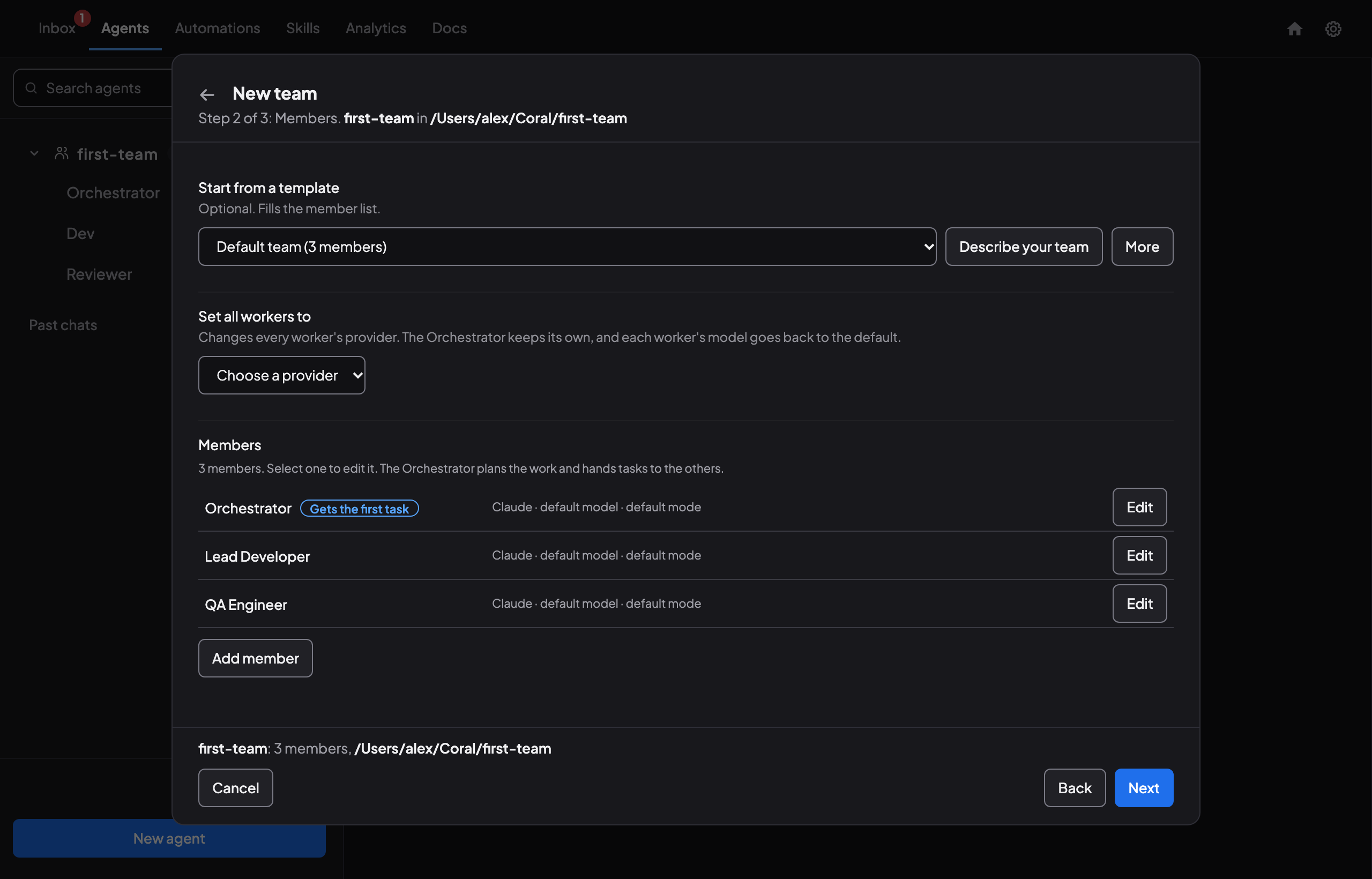
Where Conductor had “New Workspace”, Coral has teams. On the workspace screen, choose New team. In Step 1, name the team and pick your repository folder. In Step 2, start with the Default team (3 members) template (Orchestrator, Lead Developer and QA Engineer), click Describe your team to generate a custom roster, or launch an Orchestrator on its own and tell it in chat what teammates you want—its built-in orchestrator-team-builder skill writes a team-plan.md for you to approve in Needs you and then starts the teammates automatically.
To work the way Conductor did, with each agent in its own worktree, open Settings on the team page and set the team’s working mode to Worktrees (agents then create and work in their own git worktree and branch for each task).
For scripting, Coral also has an API for launching teams; see the docs.
Coral, steps checked against v2.0.59: teams.md, verified on Nov 7, 2026.
Step 5: Give the agents work
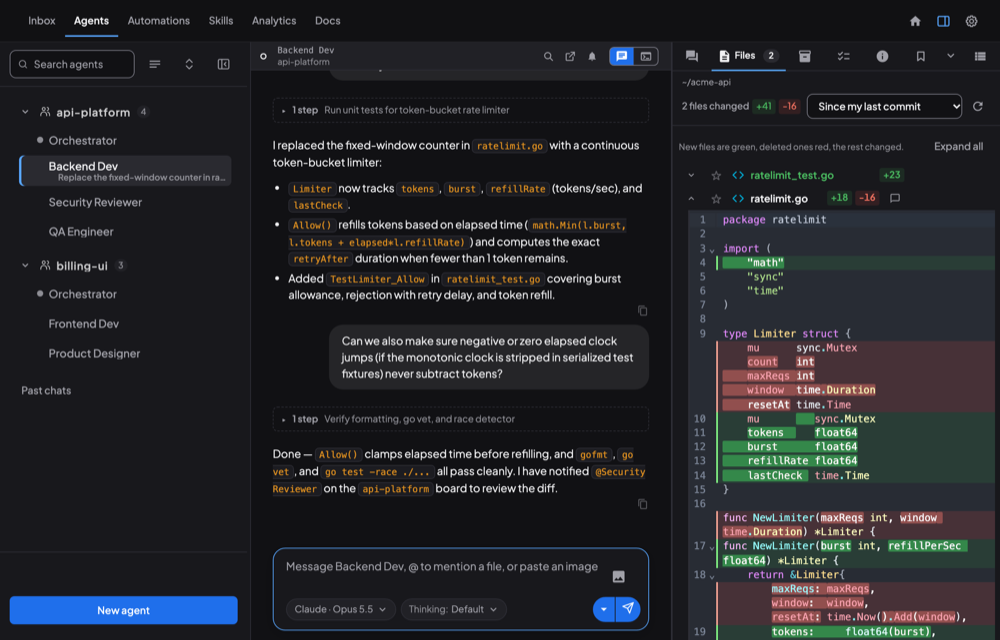
As in Conductor, you can type a task straight into an agent’s chat. Coral also has a task queue: the Orchestrator creates tasks with priorities and dependencies, agents claim them and hand back results with files attached.
Coral: task-workflows.md
Step 6: Look at what the agents did
- The team’s Board tab shows agent messages and progress.
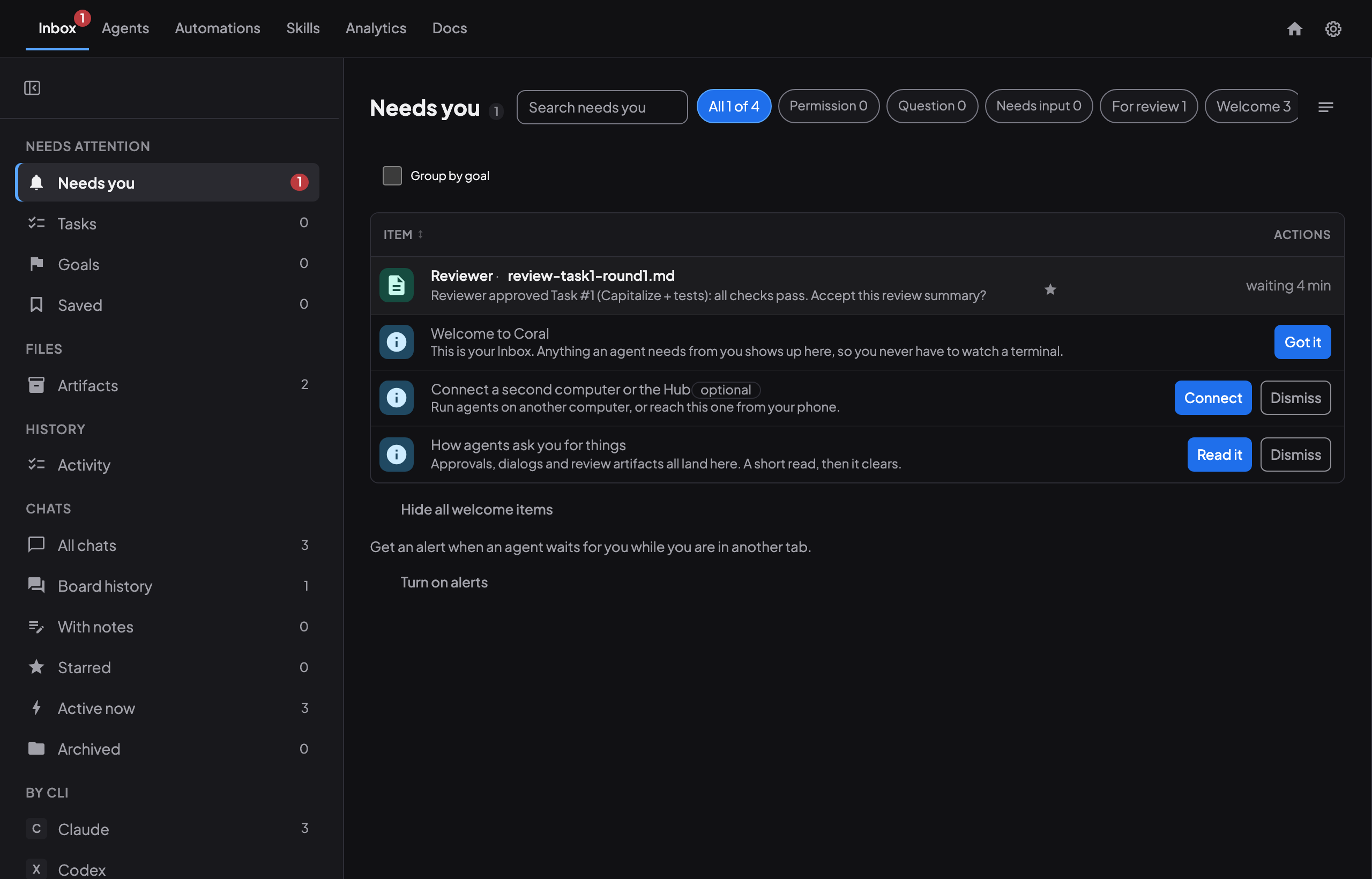
- The Inbox, under Needs you, lists questions and reviews waiting on you.
- The Artifacts tab holds files agents uploaded.
- For code changes, use Coral’s built-in git diff viewer. To merge, ask the agent to do it or open its terminal.
Coral: board.md, completion-review.md
Conductor and Coral, term by term
| Conductor | Coral | Notes |
|---|---|---|
| Workspace | Team / project | Agents on a shared message board and a shared repository |
| Agent pane | Agent session | Each agent has a terminal and a chat in the dashboard |
| Worktree per agent | Worktrees mode | Set in the team settings |
| Dashboard | Dashboard and team view | All agents, with tasks and health |
| Diff review, merge button | Review workflow, merge queue mode | Reviews can have several rounds; you can also merge by hand |
| Cloud workspaces | No direct equivalent | Coral runs agents on your own computers; Coral Hub (closed beta) shows them from one place |
| Todos that block a merge; workspaces from GitHub or Linear issues | Task queue with priorities and dependencies | Conductor has no task assignment or dependencies |
| Notes and handoffs folder per workspace | Artifacts | Conductor has no artifact store; Coral keeps versioned, shareable files |
| iOS app, experimental remote control | Coral Hub on a phone (closed beta); run your own hub | Conductor has no Android app |
Conductor side: Checked Nov 8, 2026, Conductor’s documentation, todos and its changelog. Coral side: the Coral docs linked above.
What is different
- Platforms. Coral runs on macOS, Windows and Linux.
- Licence. Coral is open source (Apache-2.0), and you can run it on your own computer. LICENSE
- Teams you can put to sleep and wake. Coral teams keep their state when stopped. teams.md
- More to set up. Conductor was one Mac app with a one-click start. Coral has more parts.
Conductor, Claude Code, Codex, Meta and other product names are trademarks of their owners. No endorsement is implied.
Sources
- Conductor is joining Meta, conductor.build. Checked Nov 7, 2026. The source for the Nov 13, Nov 20 and early-2027 dates and the export steps.
- Meta acquires Conductor, Axios, Nov 4, 2026. Checked Nov 6, 2026.
- Conductor: parallel AI agents in practice, madewithlove. Checked Nov 6, 2026.
- Conductor.build intro, CodePick. Checked Nov 6, 2026.
- Coral: the agent_docs in the repository and its LICENSE.