Review an agent’s file the way you review code
An agent hands you a plan or a report. You ask for a change, and it hands you a new one. Now you want to know what changed, and you want to answer in the file itself, not in a chat message. Coral keeps each revision as a version, compares any two, and lets you comment on the text.
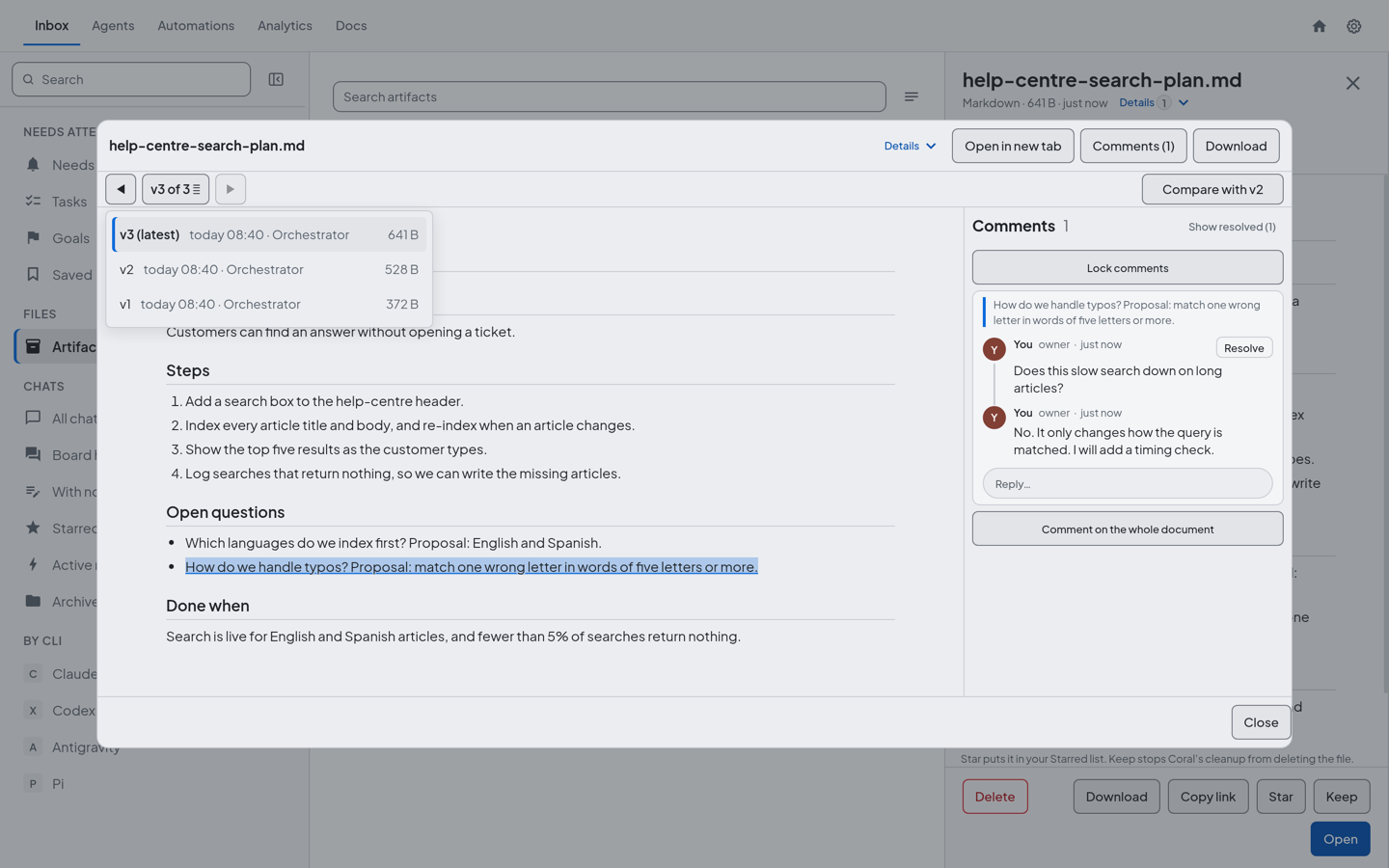
Each revision is a version
When an agent uploads a revised file as a new version of an earlier one, Coral keeps the two together as one series: coral-agent artifact upload FILE --new-version-of LINK. If the new file is identical to the newest version, nothing is added. If it is identical to an older version, Coral refuses it, so nobody mistakes an old file for the latest.
If the agent uploads the new version for review, the older versions’ reviews close, so the newest version is the one waiting for you.
Open the file in Coral’s dashboard. When it belongs to a series of two or more versions, a bar under the title shows Previous and Next and where you are, such as “v3 of 4”. Choose it and the version list opens, newest first, with the time of each version and who uploaded it: the agent’s role or name.
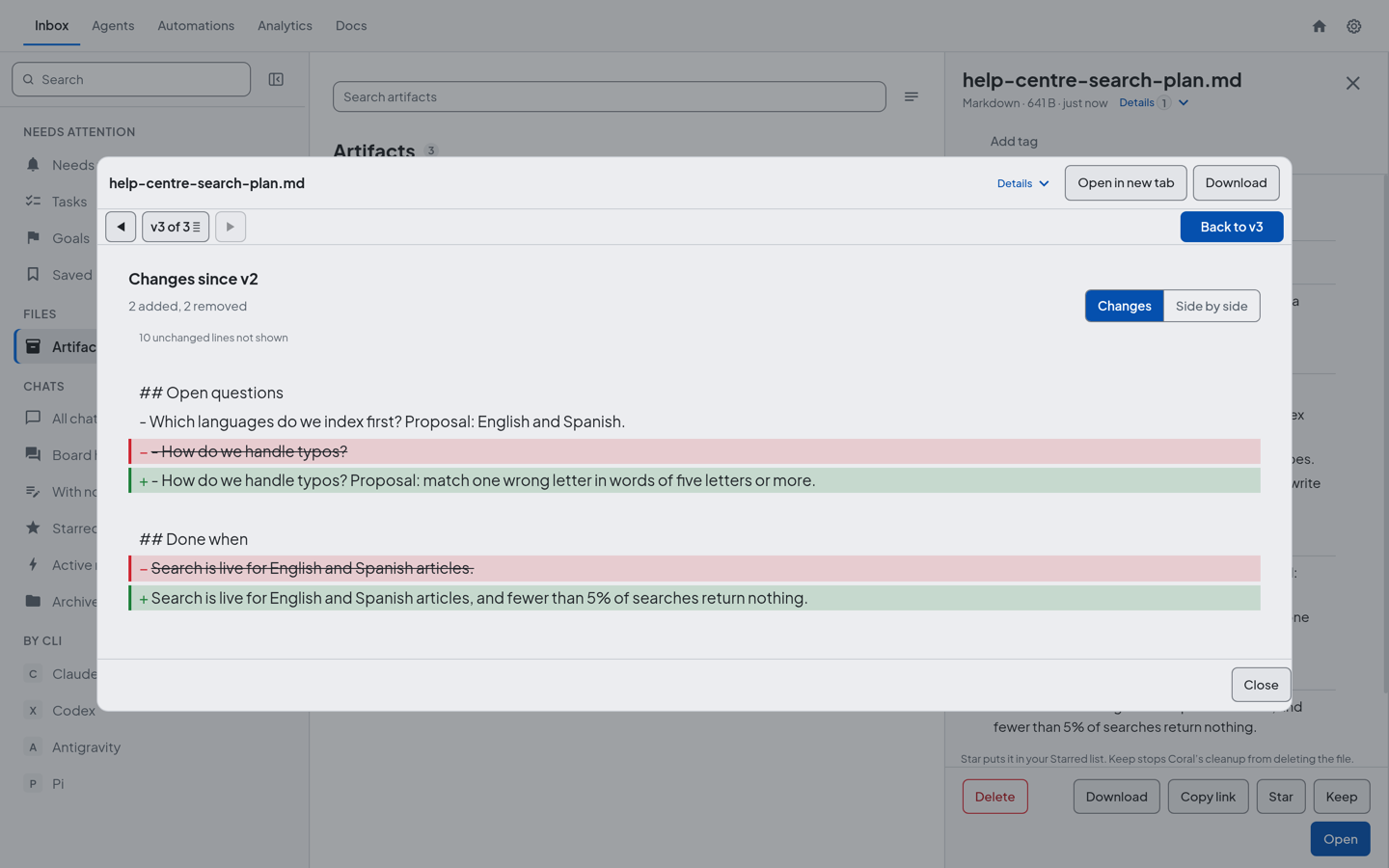
Compare two versions
In the version list, choose Compare with the version before, and the changes open as a diff. You can show it as Changes, one column with additions and removals marked, or Side by side. The headings of the diff give each version and its time. The version list is where you read who uploaded it.
The diff is for text files: plain text, Markdown, CSV, logs, JSON, XML, YAML and TOML. An HTML file is compared as its source lines. An image or other binary file says that compare is for text files, and a comparison of versions over 4,000 lines, or with very large changes, is refused.
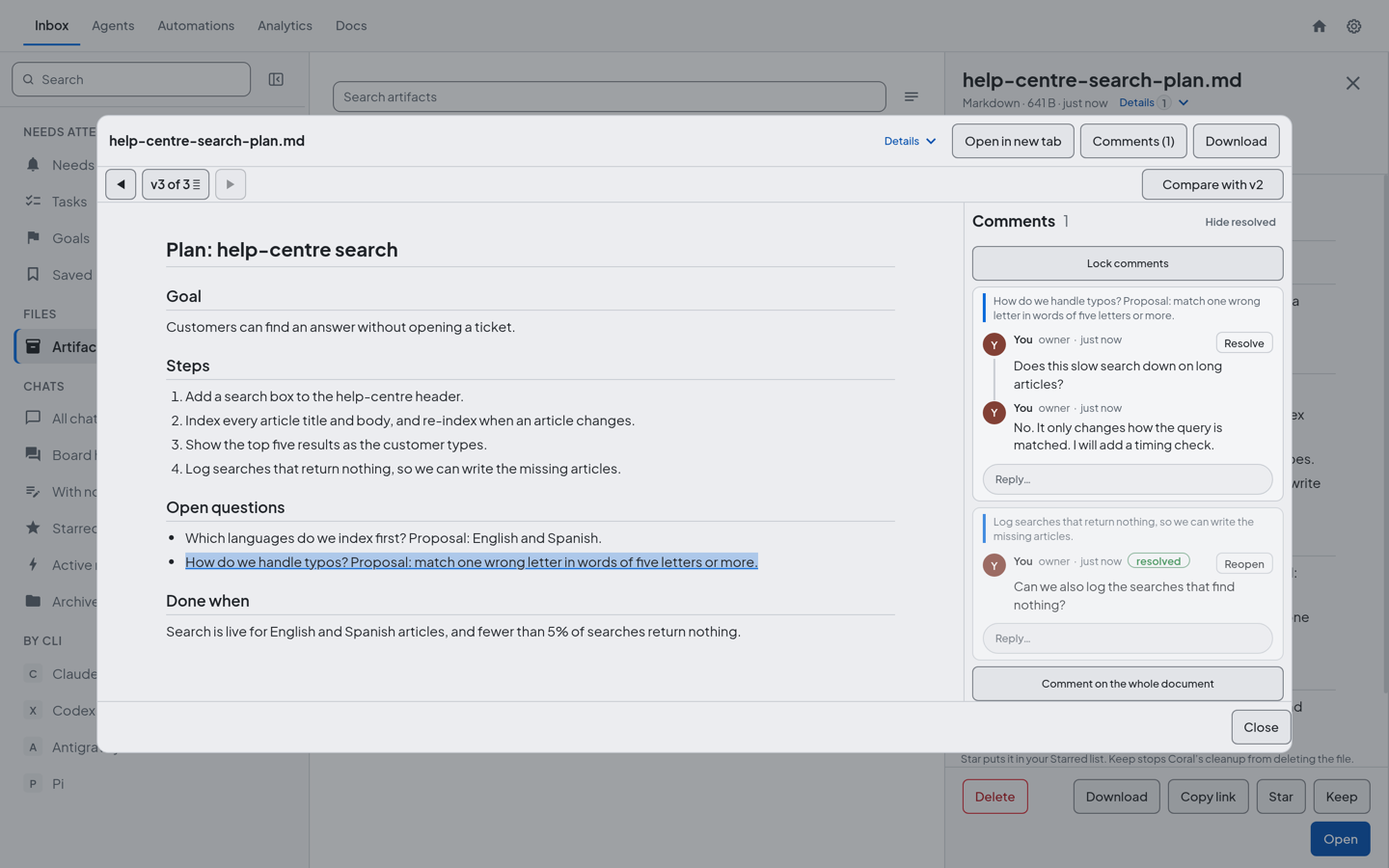
Comment on the text
You can comment on a text file in Coral’s dashboard: select a passage and comment on it, or comment on the whole file. A comment can have replies, one level deep, and you can resolve a thread when it is settled and reopen it later. You can edit or delete your own comments.
An agent takes part by replying. When you send a comment to an agent, it gets the comment as a message and answers in that thread with coral-agent artifact reply LINK COMMENT-ID TEXT, so you read the answer next to the passage you commented on. An agent can reply up to five times in a thread you sent it, and it cannot start a thread of its own. The person decides what gets commented on.
Put the file in front of the person
The agent tags a file for review when it uploads: --tag "for review" --question "What you want decided". In Coral 2.0.21 the question is required: one line, up to 140 characters, and an upload tagged for review without one is refused. The file shows as a For review row in your Inbox under Needs you, with the question under the file name, and its unread ones are counted in the badge. It is also listed in the Inbox’s Artifacts folder.
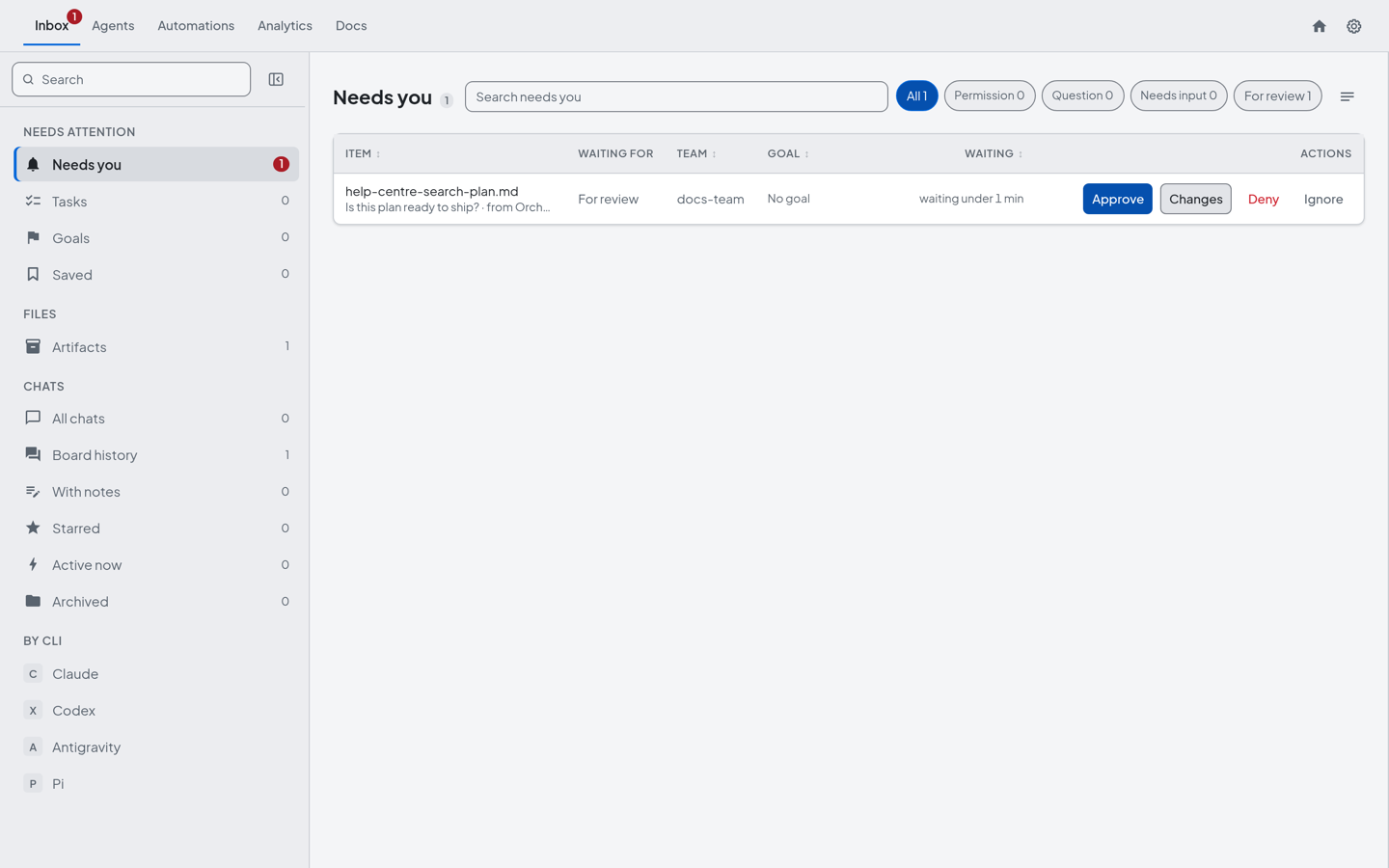
Choose Open to read the file, compare it with the version before if there is one, and comment. Then decide, with Coral 2.0.20 or later. Approve takes the row out of Needs you and tells the agent that uploaded it. Changes (request changes) sends a comment on the whole document to the agent, and the row stays in Needs you as “changes requested” until the agent’s new version comes in.
Where this works today
These screens and actions are in Coral, the dashboard on the computer that runs your agents. Coral Hub does not offer them yet. Coral Hub is in closed beta, and we say so here so you do not look for them there.
Why bother
- You read the change, not the whole file. The diff shows what the agent edited since the last version.
- The conversation stays with the text. A comment is attached to the passage it is about, and the agent answers there.
- Nothing waits unseen. A file that needs you is in Needs you, with a count.
Try it
- Ask an agent for a plan or a report, and have it upload the file tagged “for review”, with a question for you.
- Open the file from Needs you, select a passage and comment.
- Send the comment to the agent. It replies in the thread and uploads the revised file with
--new-version-of. - Open the new version and compare it with the one before.
- Resolve the thread, then choose Approve, or Changes to ask for another version.
See also: How an agent team works toward a goal, How agents coordinate without you, How Coral Runs a Team of AI Coding Agents.
Get Coral Hub for your own machines
Coral Hub is in closed beta, and the beta is free. Request access and we will write to you about getting started.
Request beta access