Keeping an agent team focused, day and night
An agent team that runs all day and all night needs two things: a clear idea of what it is working toward, and a way to reach you without stopping. This is how we do both with Coral.
Start with the goal
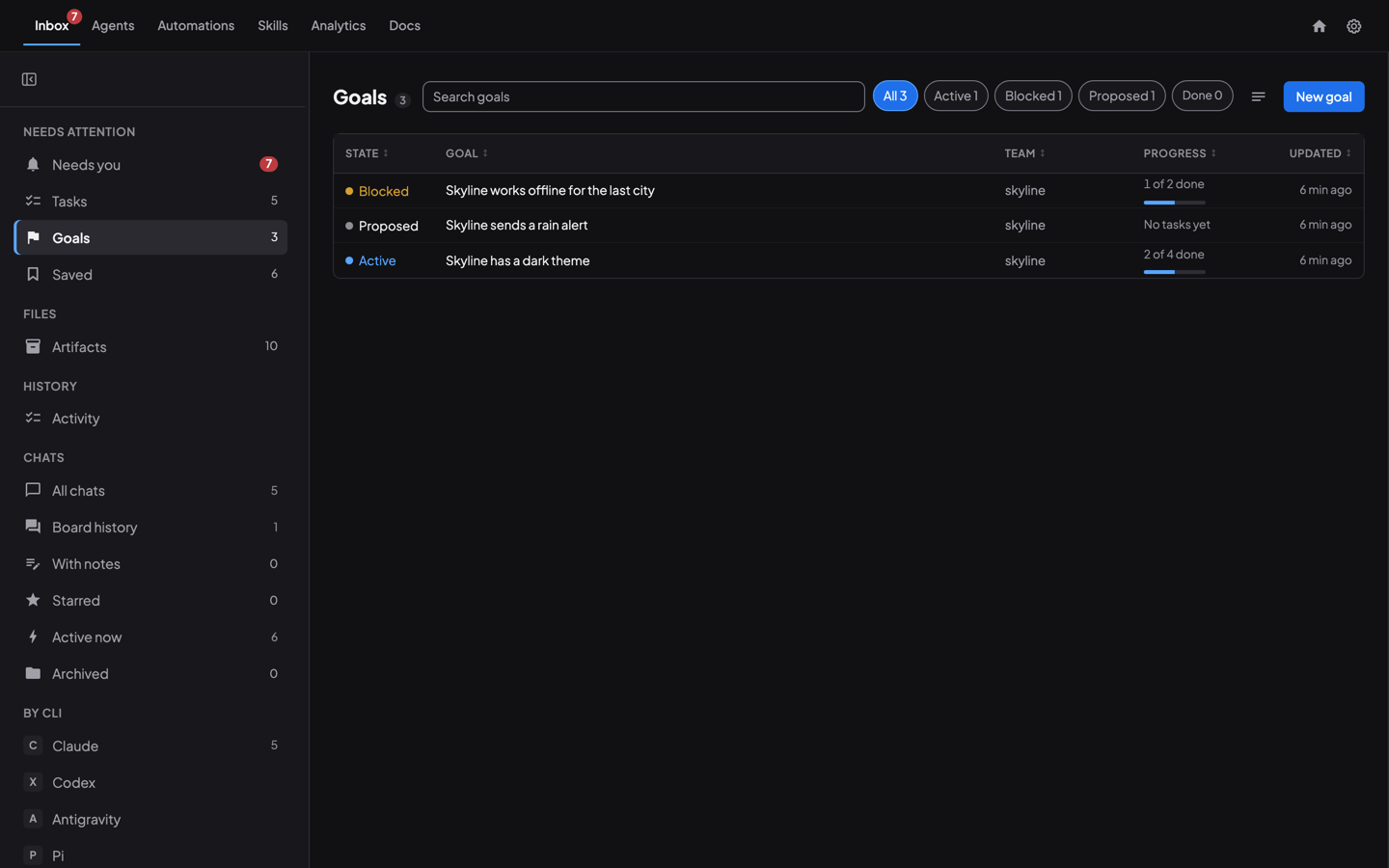
Every piece of work starts as a goal: one outcome, and a done when line a person can check. Say a team is building a weather app called Skyline. One goal is “Skyline has a dark theme”. Its done-when: “Every screen follows the system theme, and a reviewer has checked each one.”
The goal gives every agent the reason behind its task. Nobody has to guess whether the work is finished. How an agent team works toward a goal follows one on a real board.
The lead breaks it into tasks
The team lead (we call it the Orchestrator, see the orchestrator pattern) splits the goal into tasks and links each one to it. Specialists claim a task, do it and mark it complete. Nothing lands until a reviewer has read it. The lead keeps the plan, so a long goal does not drift while several features run side by side.
The blocking question
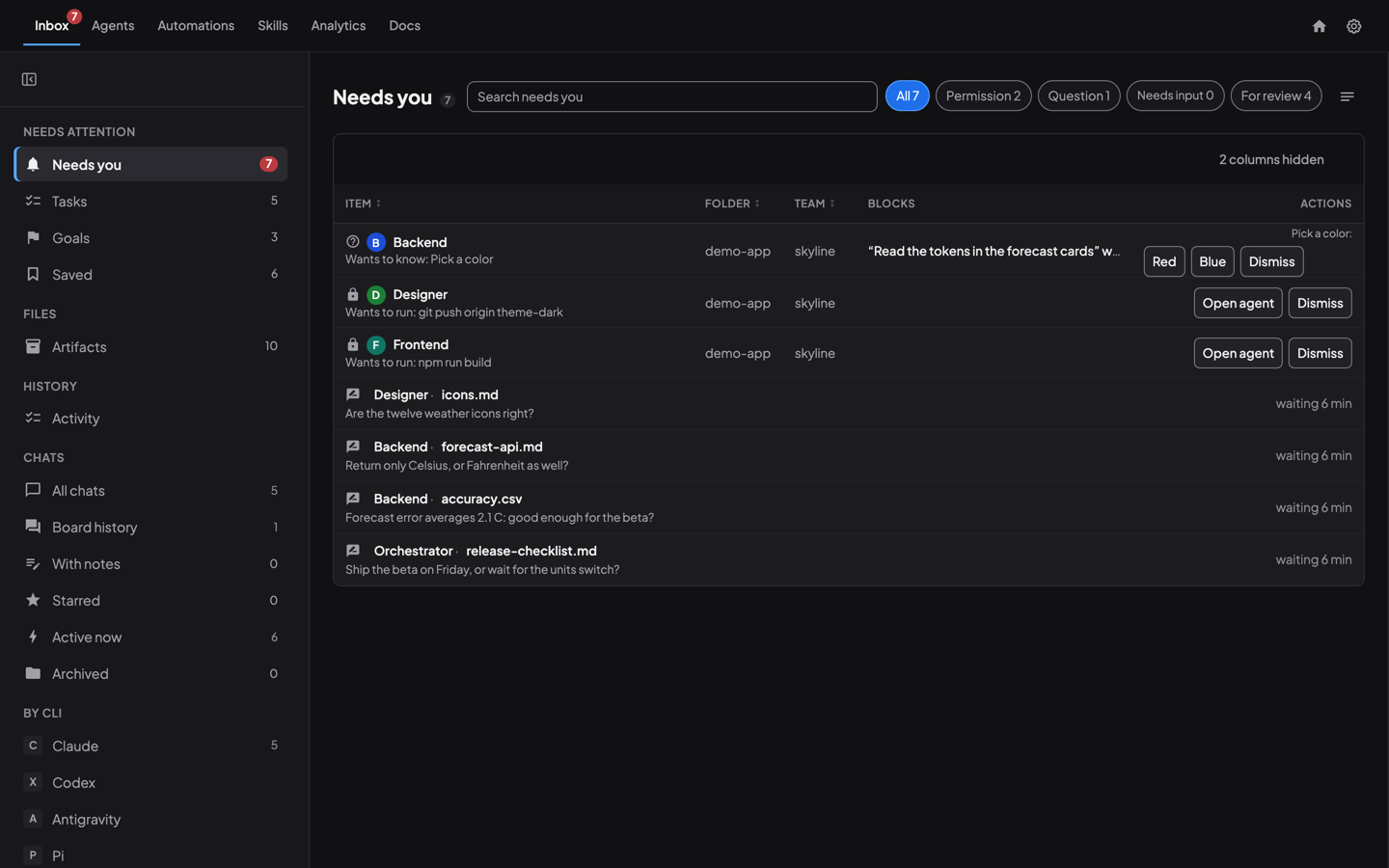
Sooner or later an agent hits a question only a person can answer. In the middle of the dark-theme task, the agent has to choose an accent color, and that is not its call. Without an Inbox, that agent stops and waits, and so does everything behind it.
With the Inbox, the agent asks, and the question becomes an item in Needs you. The agent does not wait for the answer. It picks up another task and keeps going.
The point is simple: questions that would normally block the team wait in your Inbox, and the team keeps moving on everything else until you answer.
Answer when you can
You answer in your own time, from a laptop or a phone. Open the item, read the question, tap an answer or reply. The agent that asked picks the answer up and applies it. Meanwhile the team has not lost an hour, or a night.
Review before anything lands
Work that needs a person’s eyes is tagged “for review” and arrives in the same list, where you can read it, comment on it and compare versions (reviewing agent files). A goal that looks done shows up there too, so you check the done-when instead of reading a status report.
Everything rolls up into the goal
Three things sit behind a goal. The message board is where the agents talk and the lead hands out work (how agents coordinate without you). The task queue holds every task and who has it. Artifacts are the files the agents produce, attached to their task. All three roll up into the one goal, so a single page tells you where the work stands.
Staying on course
A team that runs for days can drift or stall, and agents lose what they learned when a session restarts. Three things keep it on course.
- The health monitor watches what every agent is really doing and helps the Orchestrator spot one that is stuck, so it can nudge or reassign the work.
- Team settings decide how the whole team works, for example one checkout, a worktree each, or a merge queue, and carry rules every agent follows. Agents work in a similar way, and drift less.
- Knowledge distillation turns what the team has learned into a document that survives restarts. It captures not only what each agent does, but how the agents work together: who hands work to whom, and the habits that grew up over days. Every agent starts again with that knowledge.
Why it works
- One reason for the work. A goal says why, and the done-when says when to stop.
- One plan. The lead keeps it, so many features can run at once.
- One place to answer. Questions queue up instead of blocking.
- One way of working. Team settings, the health monitor and distilled knowledge keep every agent on course.
Try it
- Write the outcome you want, and one line for how you will know it is done.
- Have the lead create the goal and its tasks.
- Tell your agents to ask you questions in the Inbox, and to carry on while they wait.
- Check Needs you when it suits you.
The steps are in the Goals guide and the Inbox guide.
See also: How an agent team works toward a goal, The orchestrator pattern, How agents coordinate without you.
Run your own agent team with Coral
Download Coral, open source. Runs directly on your machine.
Download Coral