Welcome to the Inbox
The Inbox puts everything your agents need from you in one place: a question, a permission, a file to review. The work comes to you, so you no longer go from terminal to terminal looking for whoever is stuck.
A new way: the agents come to you
In Coral, everything an agent needs from you lands in one list called Needs you: a permission to run a command, a question, a file to review. You can filter it by kind and open an item. Most you can answer right there, with the buttons the agent offered; for the rest, Open takes you to the agent. You never have to find the agent first.
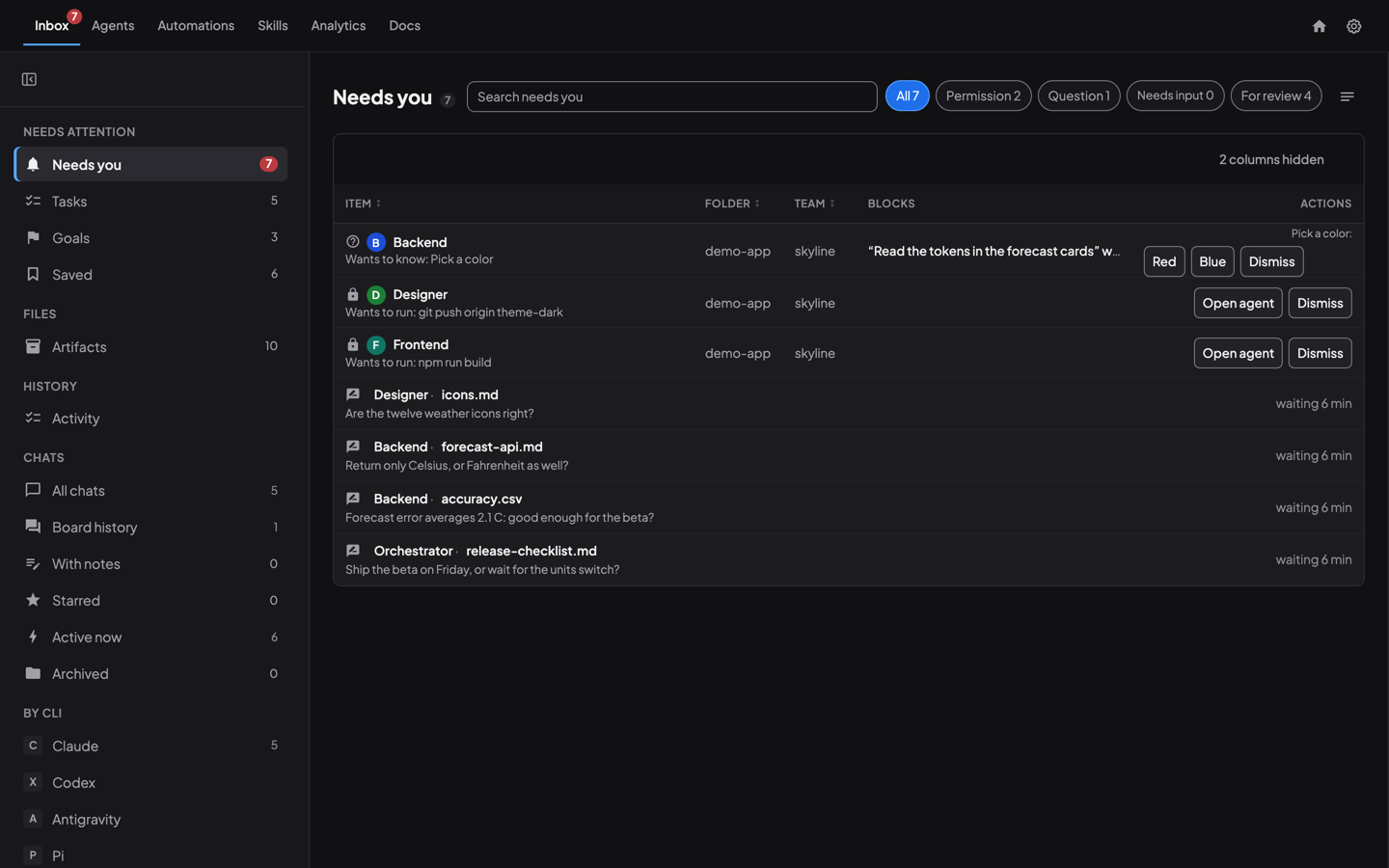
It also changes how the team works. A question that would have stopped an agent waits in your Inbox instead, and the rest of the team carries on. Keeping an agent team focused, day and night follows one such question from start to finish.
Three ways to answer an agent
Here is what responding looks like for the three things agents ask for most.
1. Answer a message
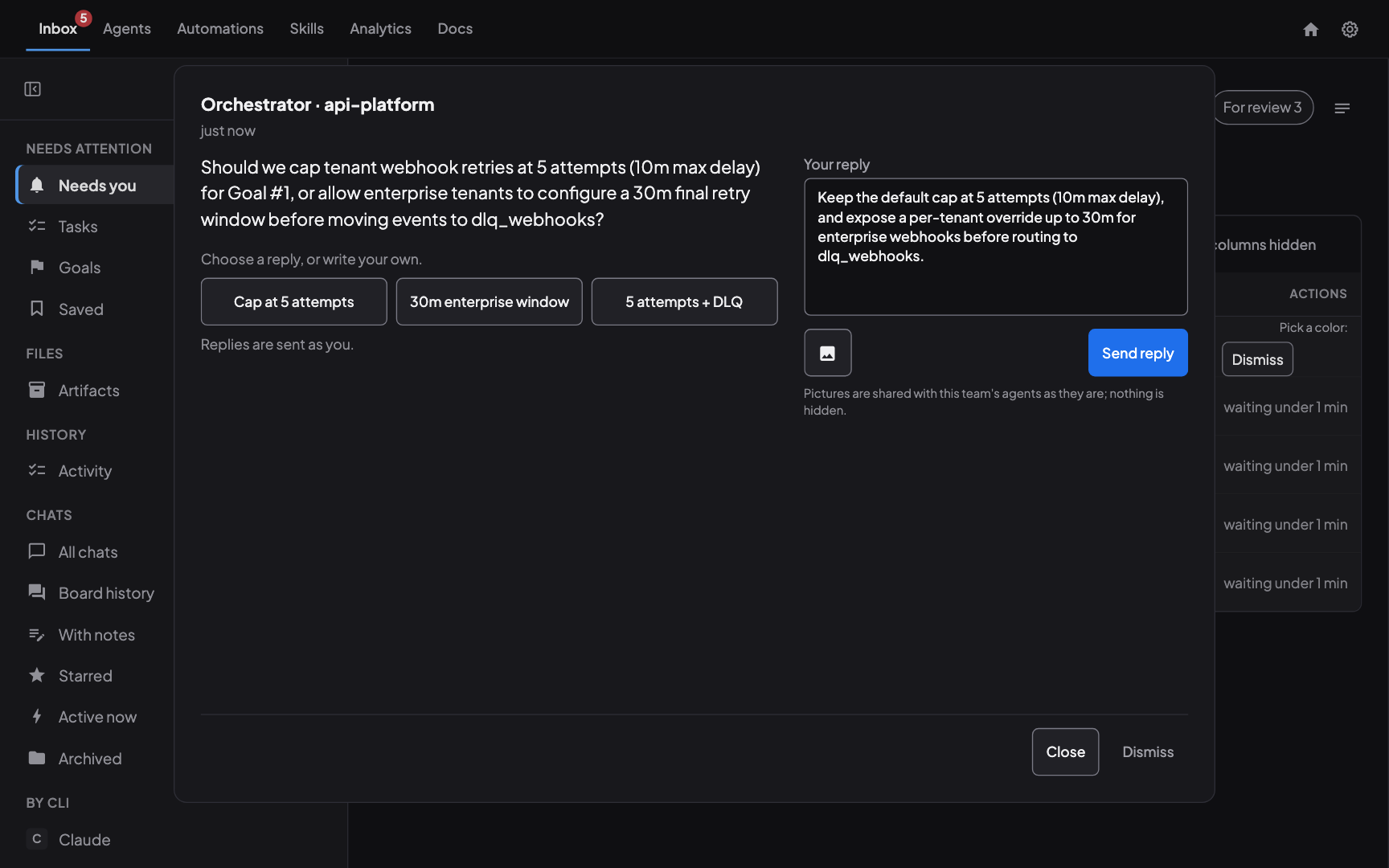
When an agent asks you something, the question waits in Needs you. Open a question to reply right in the Inbox: tap an offered answer or type a longer one. For a prompt that needs the agent’s own screen, Open agent takes you to its chat.
2. Review a file, with comments
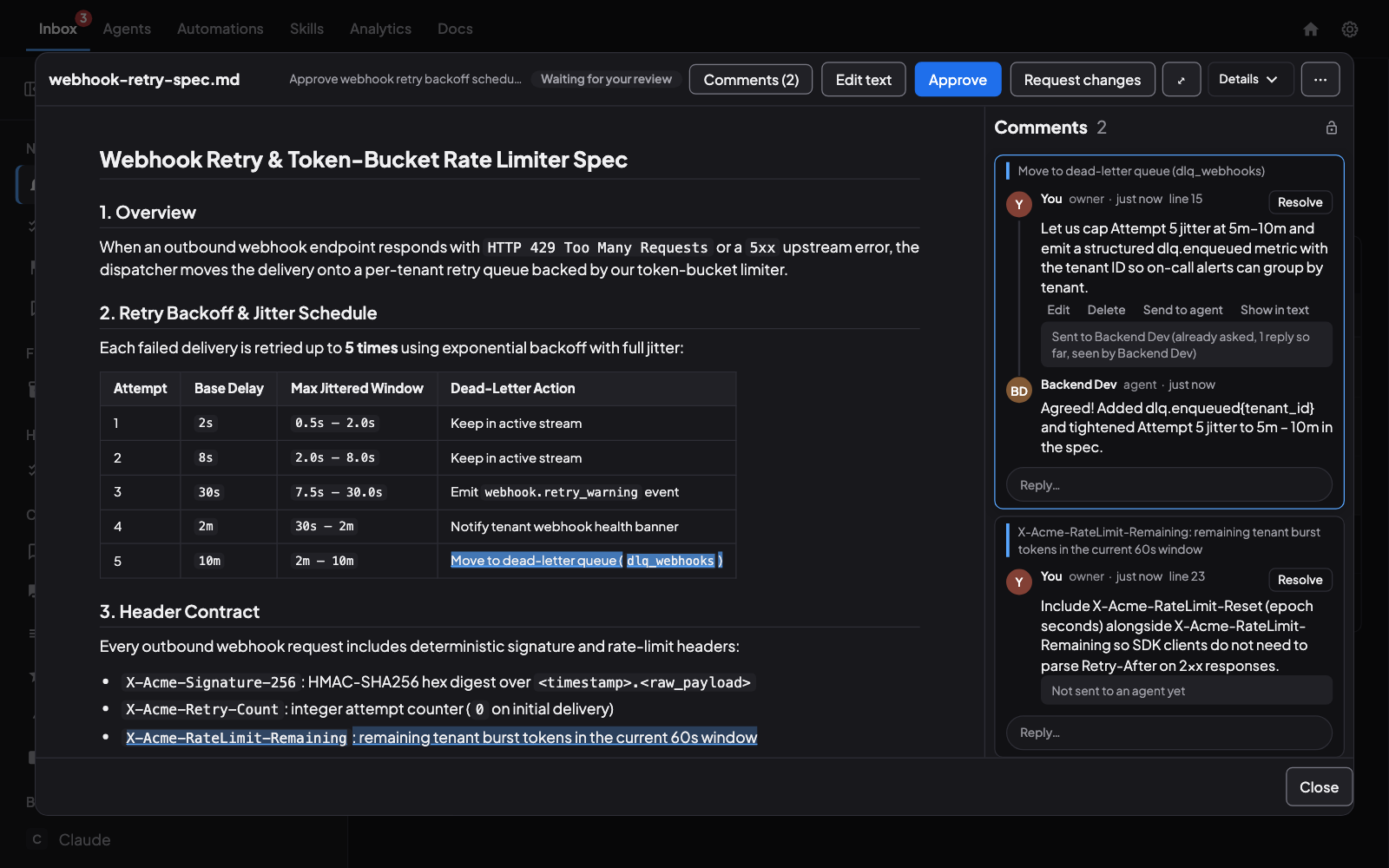
When an agent hands you a file, it appears in Needs you marked For review. You can Approve it, or use the icons beside it for Request changes and Save for later. The … menu has Approve with a note, Dismiss, Deny and Copy artifact ID. Dismiss takes the item out of Needs you; nobody is told.
Open the file to read it, highlight a passage and comment on it. Send a comment to the agent, or choose Request changes: the agent replies in the thread or uploads a new version, which comes back to Needs you.
Review an agent’s file the way you review code goes through versions and the changes between them.
3. Review a video, with comments
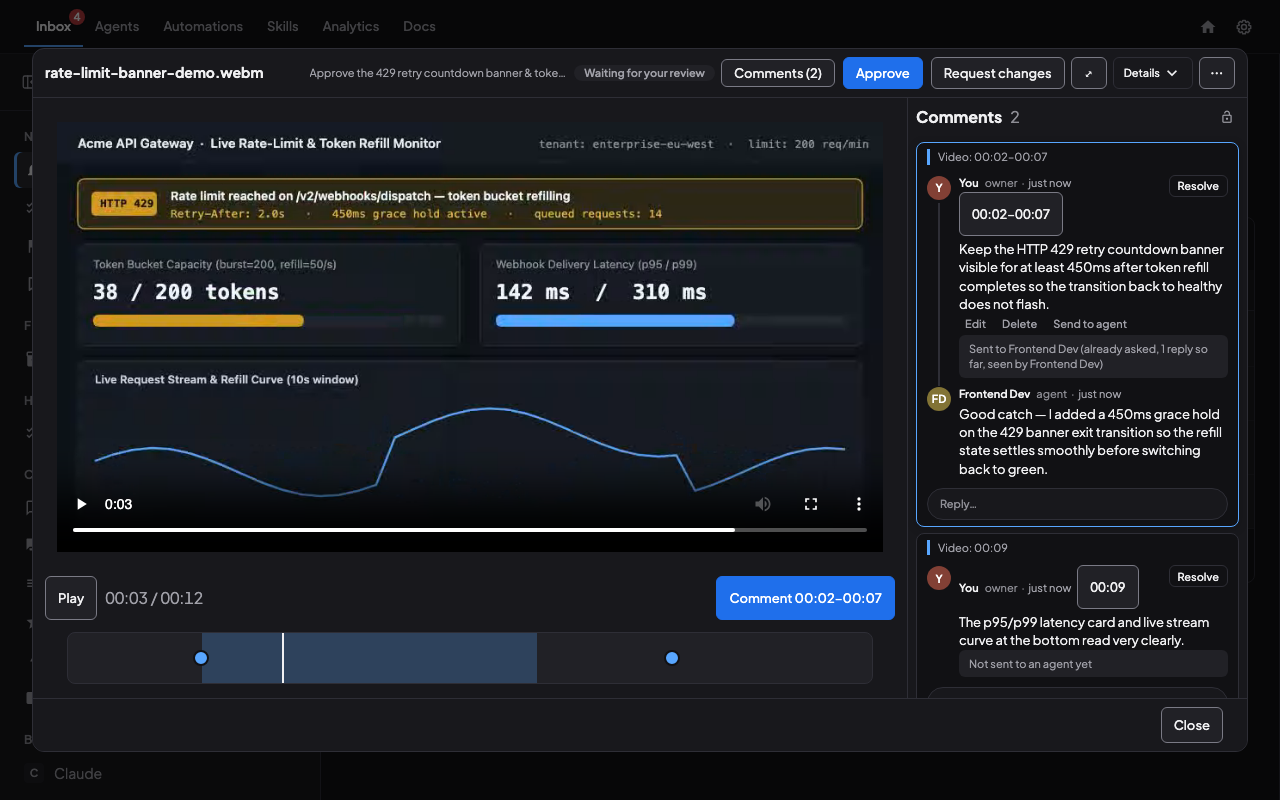
A video arrives the same way. Select a time range on the timeline and comment on exactly those seconds, so the agent knows which stretch you mean. Comment marks sit on the scrub bar, and the agent’s reply lands in the same thread.
Goal-led development with Coral
The Inbox is not only a list of interruptions. Next to Needs you are your goals. Each goal holds the tasks attached to it with their status, and the artifacts its agents share for it (images, app snapshots, documents, videos), grouped by task. You can see what the team is working toward without asking anyone.
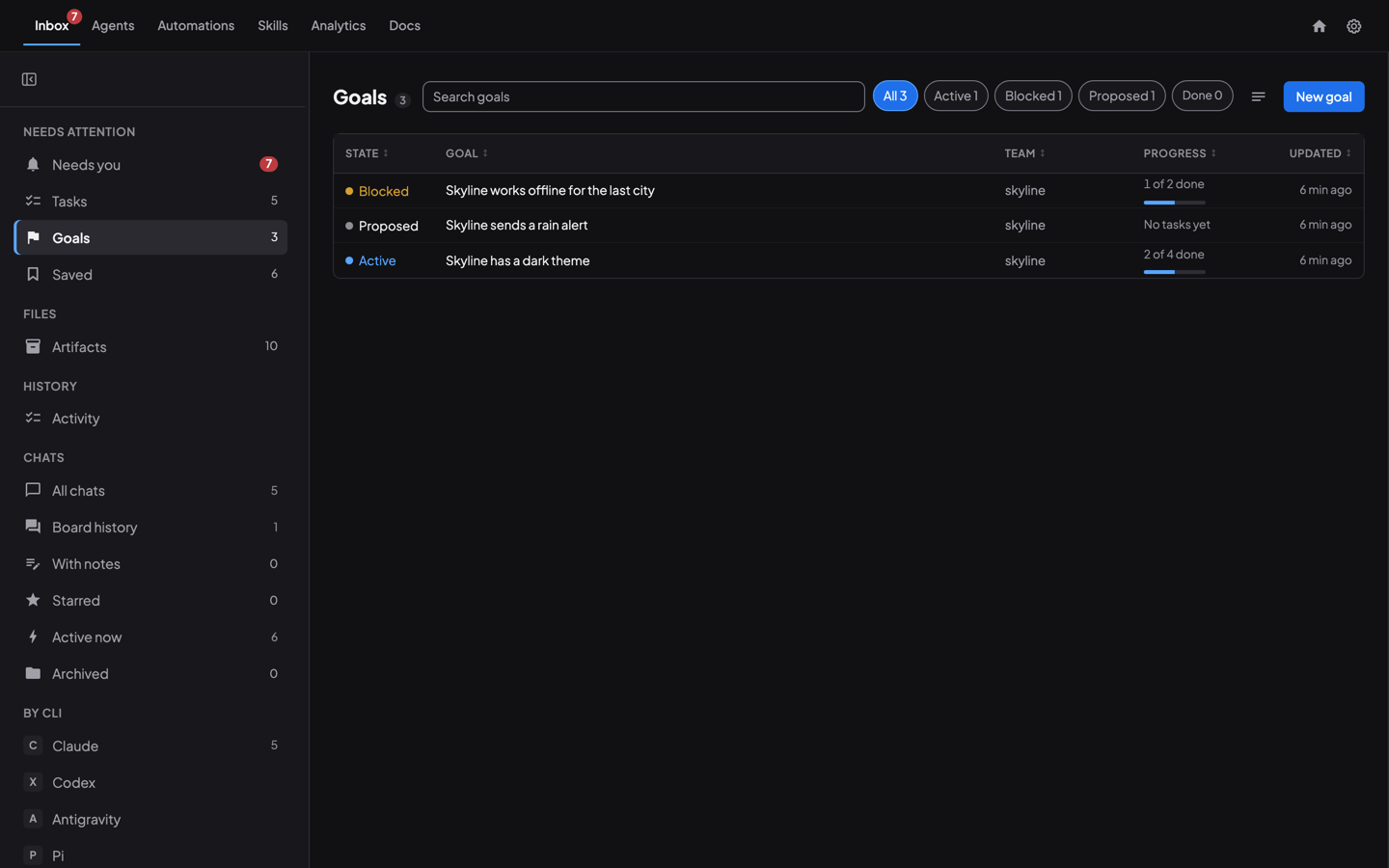
How an agent team works toward a goal follows a goal from its first line to the last task.
The rest of the Inbox
- Saved. Keep an answer, decision or instruction you will need again.
- Artifacts. Every file an agent produced, with its versions.
- Chats and board history. Your agent conversations and each team’s board. Star a chat or a board, and keep notes on your agent chats.
- Activity. A record of what you decided in Needs you.
Coral and Coral Hub
The Inbox lives in Coral, which is open source and runs on your own computer. Coral Hub, in closed beta, is how you reach your computers from one place.
Watch it
The walk-through (about three minutes) on the home page starts a team, gives it a goal, answers a question and reviews a file and a video, all from the Inbox. It has a voiceover and captions; turn the sound on.
Try it
- Launch a team in Coral and give it a goal.
- Open the Inbox and look at Needs you.
- Answer what arrives, and review a file when one does.
The steps are in the Inbox guide.
See also: Keeping an agent team focused, How an agent team works toward a goal, Review an agent’s file the way you review code.
Run your own agent team with Coral
Download Coral, open source. Runs directly on your machine.
Download Coral