Stalled terminals
A permission prompt sits unseen for an hour in a background terminal tab.
Instead of babysitting windows to see who paused, every tool permission lands in one Inbox queue with live counts.
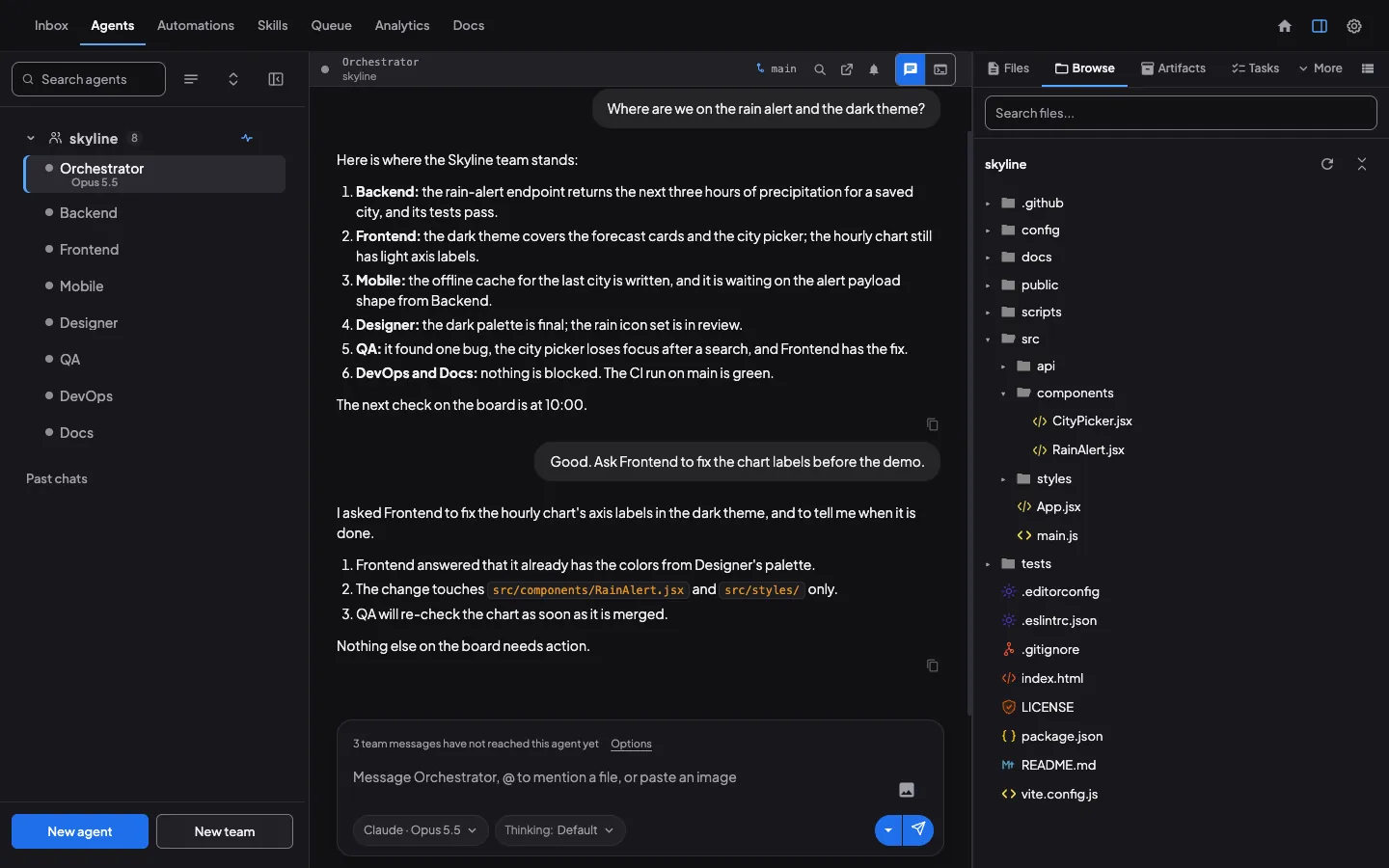
Coral runs Claude Code, Codex and Antigravity as one team on your computer. Permissions, questions and files to review land in one Inbox, on your laptop or phone.
Free & open source (Apache-2.0) · macOS, Windows & Linux · Install options



curl -fsSL https://github.com/subgentic/coral/releases/latest/download/install.sh | bash
Running one coding agent for ten minutes in a terminal is easy. Running four, six or ten agents across a multi-hour or multi-day project is where ad-hoc workflows break down:
Instead of babysitting windows to see who paused, every tool permission lands in one Inbox queue with live counts.
Questions, versioned plans, and diffs arrive in Needs you. Answer in one tap or request changes inline.
Coral keeps the Board, Tasks, Goals, universal search, and automatic Knowledge distillation outside any single context window.
Not another coding agent: the control and memory layer around the ones you already use.
Bring your own keys and subscriptions. Pick the best coding agent for each role — Claude Code, Codex, or Antigravity — on one shared board.
No hopping between terminals. Filter the list, open a file review with passage comments, and clear items when you are done.
Try it: tap a filter, then a row.
Tell your team’s Orchestrator who you need, like “Start an SEO expert and prime them on our webpage.” The specialist starts up in the team roster and gets its primer entered right in its chat window.
Try it: send the prompt to the Orchestrator, then click any agent in the roster.
Tasks show who holds them and where they stand: queued, in progress, blocked, in review, done. You see the picture without asking anyone.
Try it: tap a filter to narrow the list.
When sessions reset or new agents join, context is never lost. Coral distills what your team learns across sessions into structured knowledge files injected at startup, and lets agents search past tasks, message board posts and goals to recover decisions over time.
Try it: filter by Knowledge, Tasks, Board or Goals, tap a row, or run Distill knowledge.
See Coral at work: a team builds an app, you review and comment from the Inbox, a second computer joins, and every agent shows in one list.
2:23 video with captions.
The free, open-source desktop app. Run Claude Code, Codex and Antigravity on your computer with a shared board, Goals, Tasks, and one Inbox for everything that needs you.
For when you run agents on more than one computer or want to check in from your phone away from your desk. Needs Coral 2.0 or newer on each computer.
Alongside Claude Code, Codex and Antigravity, Coral supports additional agent CLIs on the same board.
Short guides from the team that builds it, written from running our own agents on Coral.
All postsQuestions? hello@subgentic.ai · Join Discord
Download Coral, make sure one coding agent CLI is signed in, pick a folder and start. Free, open source (Apache-2.0), on your own computer.