Run your coding agents as one team.
Install Coral on macOS, Windows or Linux to coordinate Claude Code, Codex and Antigravity locally — with one Inbox, versioned diffs, Automations, Queue, Analytics, and lasting team memory.
Free · Apache-2.0 · Needs Claude Code, Codex or Antigravity signed in · Explore features

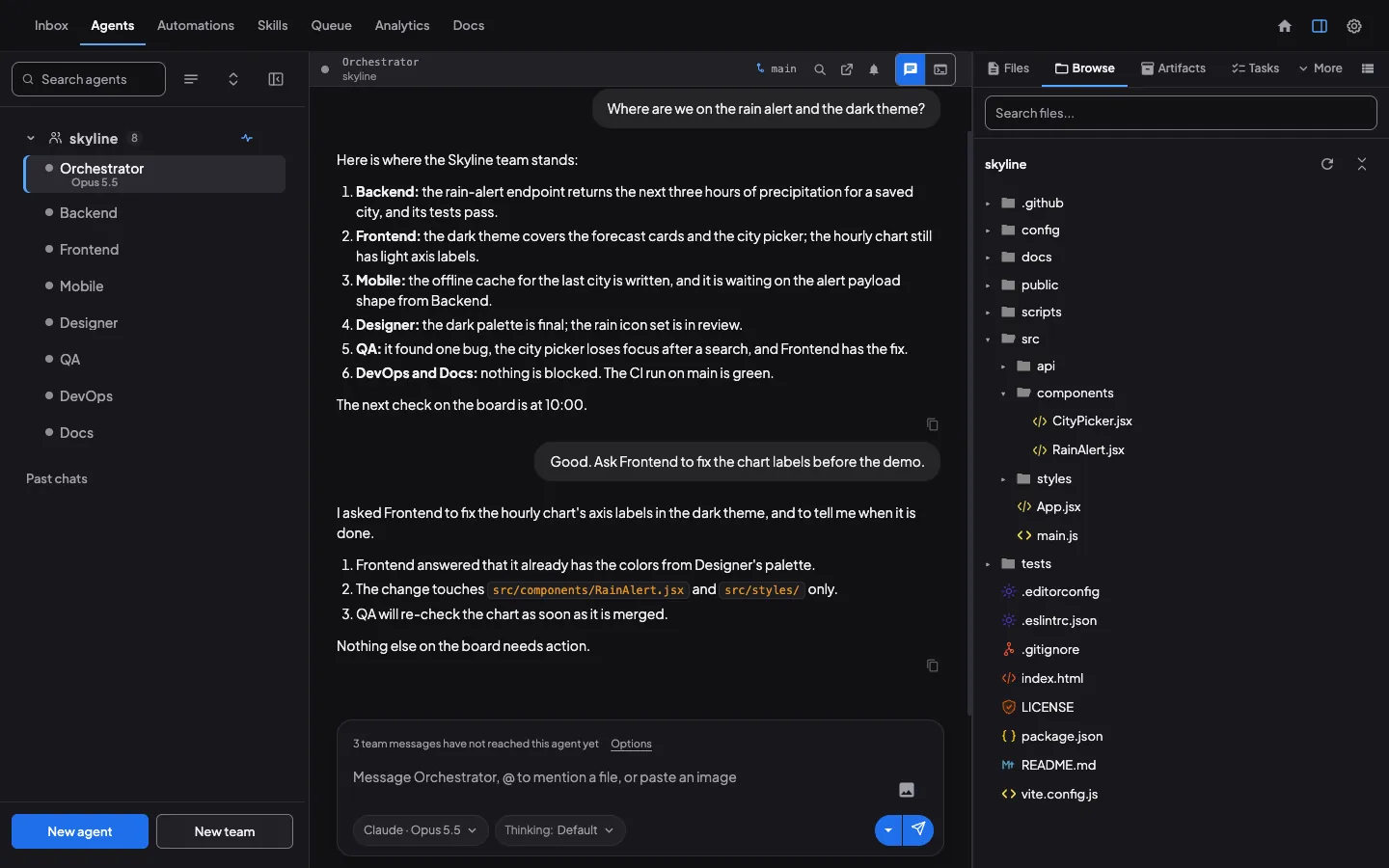
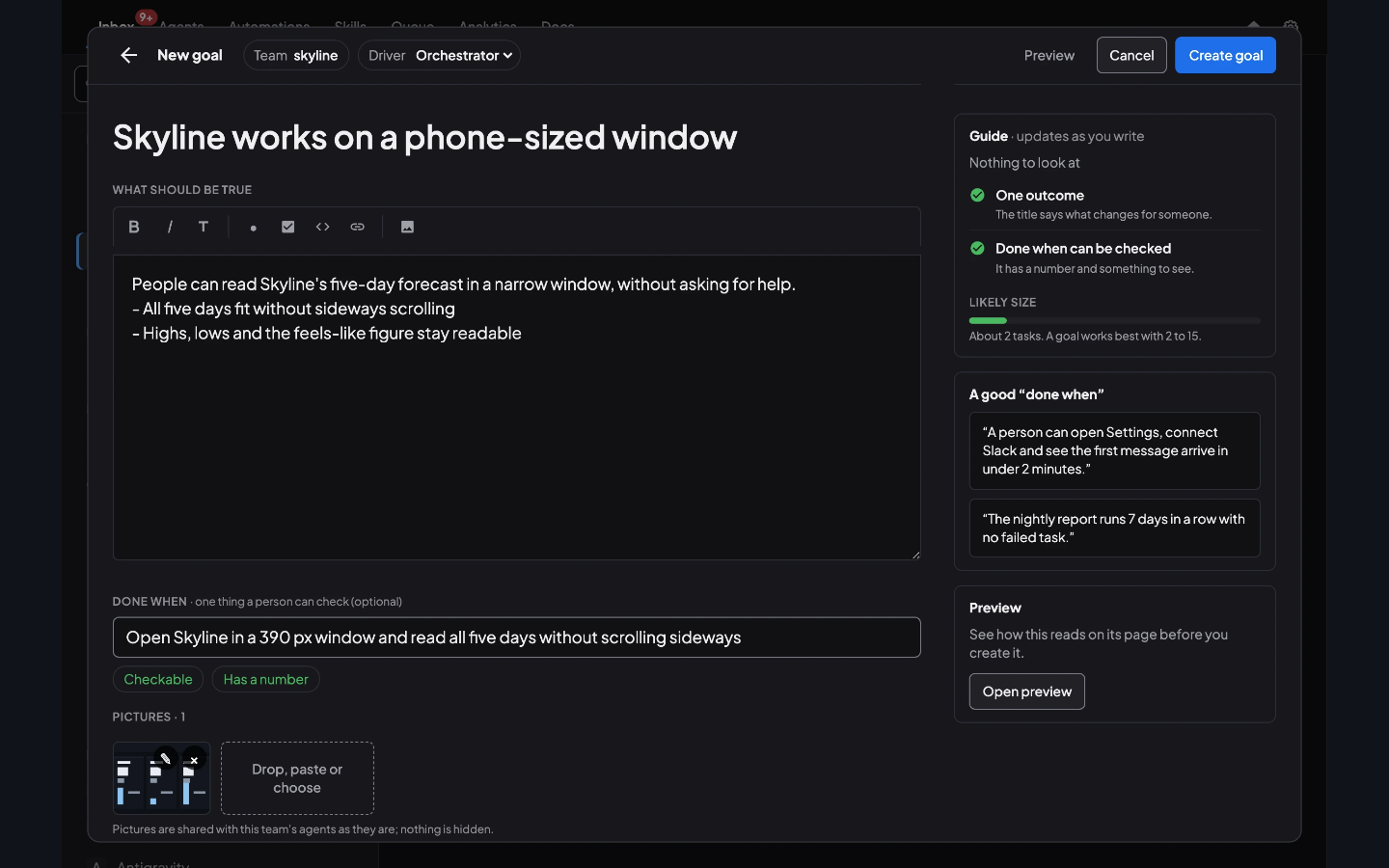
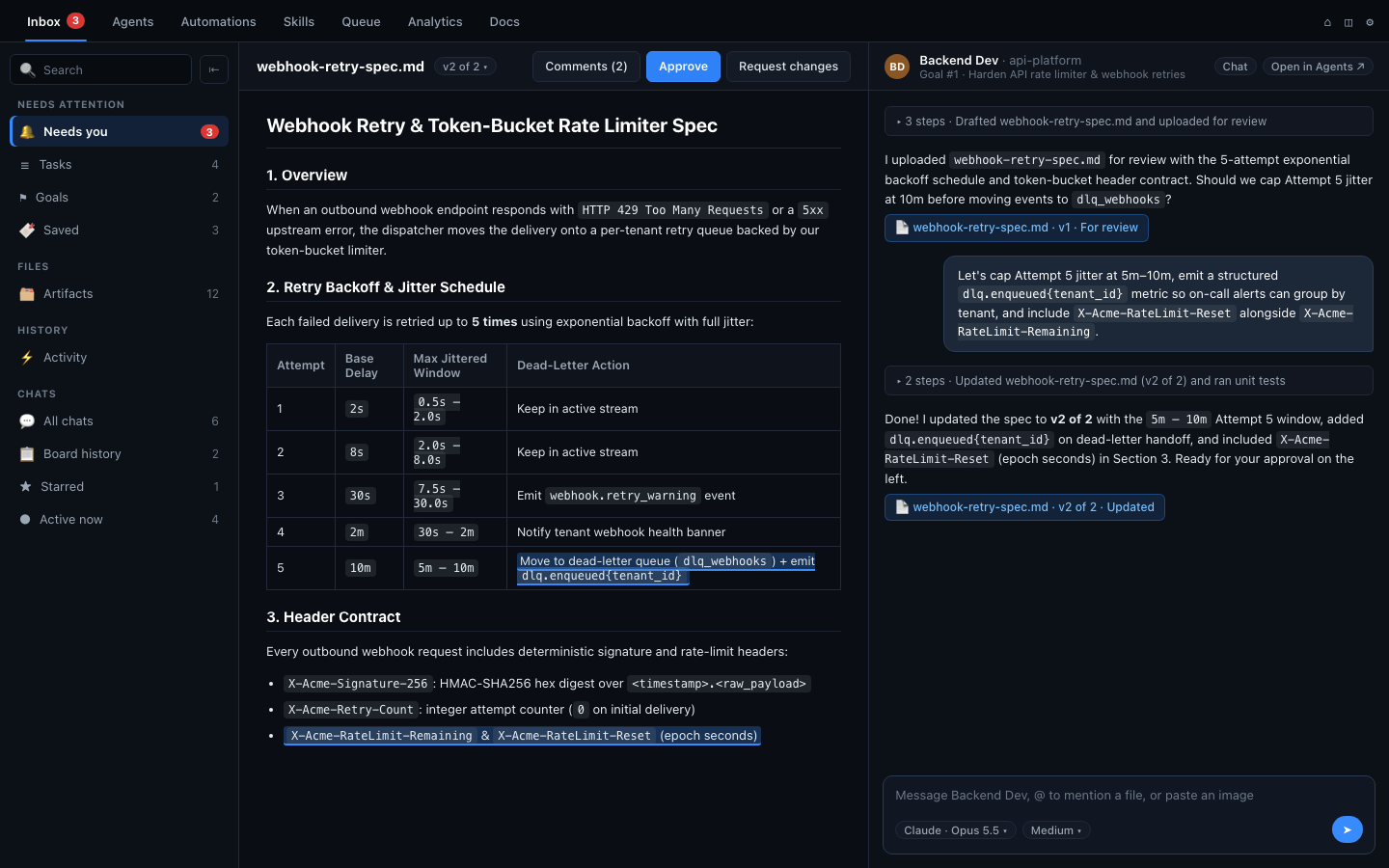
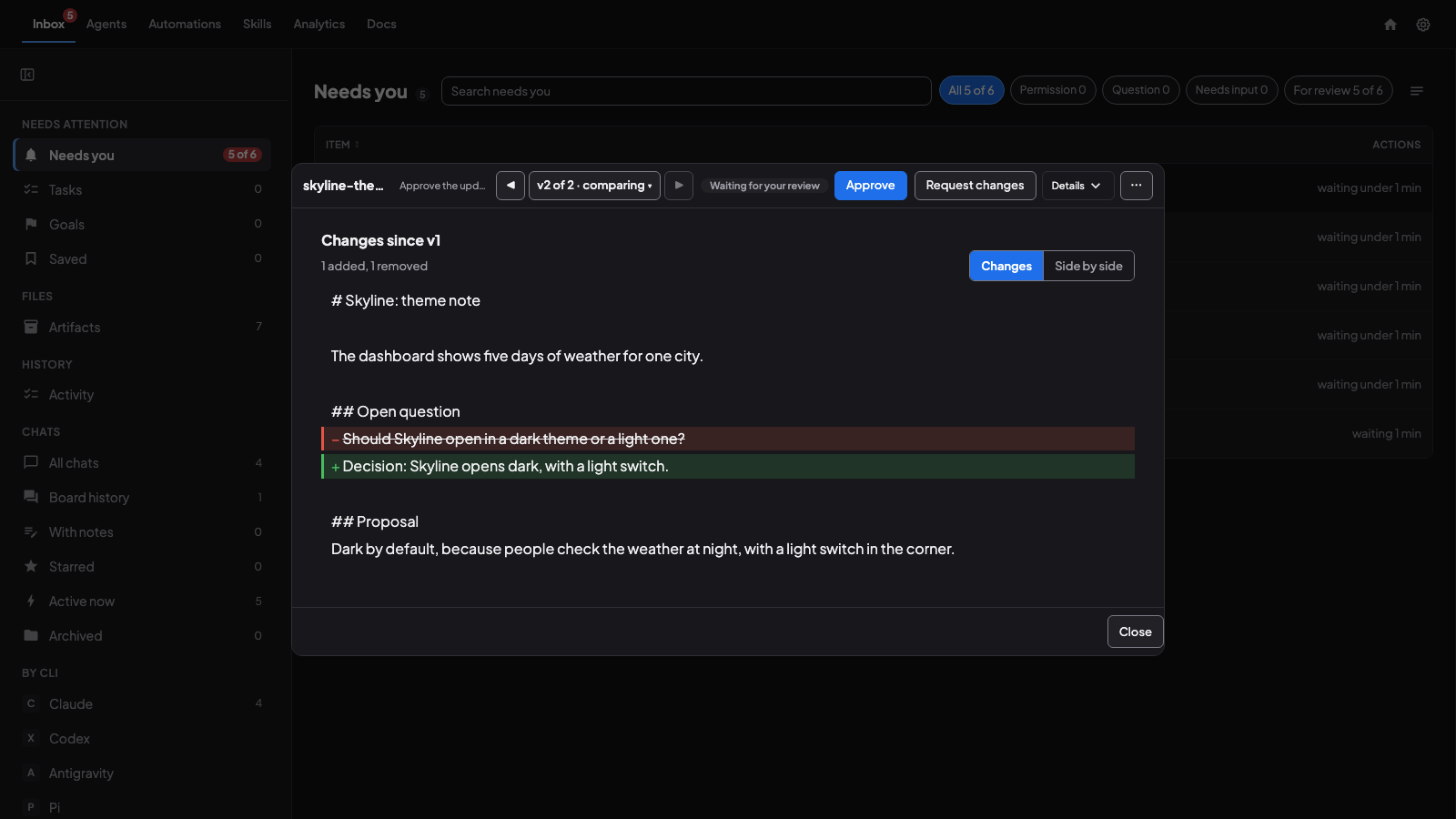
Install Coral on your computer
Free and open source. Download the app, or install with one line on macOS and Linux.
curl -fsSL https://github.com/subgentic/coral/releases/latest/download/install.sh | bash
One-line install for macOS and Linux. Installs Coral and its CLI into ~/.local/bin, no sudo.
Other platforms and install methods
brew install --cask cdknorow/coral/coralcurl.exe -fSLo Coral-x64.msi 'https://github.com/subgentic/coral/releases/latest/download/Coral-x64.msi' ; Start-Process msiexec.exe -ArgumentList '/i Coral-x64.msi' -Waitcoral --no-browserNeeds Claude Code, Codex or Antigravity signed in · Apache-2.0 · Checksums · All releases · Installation guide
1. Prerequisite: install and sign in to a coding agent first
Bring your own Claude, Codex, or Antigravity subscription or API keys.
claude)npm install -g @anthropic-ai/claude-code
codex)npm install -g @openai/codex
agy)Vendor installerDownload from Antigravity’s install page.
Open Coral
Launch Coral from Applications / Start Menu (or run
coral --no-browseron a headless machine and open localhost).Start one agent or a team
Click New agent in a project folder, or New team to launch an Orchestrator and workers in an isolated git worktree.
Answer what lands in Needs you
Send your goal with a verifiable Done when check. Tool permissions, questions, and artifact reviews appear in Inbox › Needs you.
Optional: using more than one computer?
View Inbox, Agents, Servers, and Docs across your computers with Coral Hub (closed beta) → or run your own hub →.
Watch the tour
See Coral at work: a team builds an app, you review and comment from the Inbox, a second computer joins, and every agent shows in one list.
2:23 video with captions.
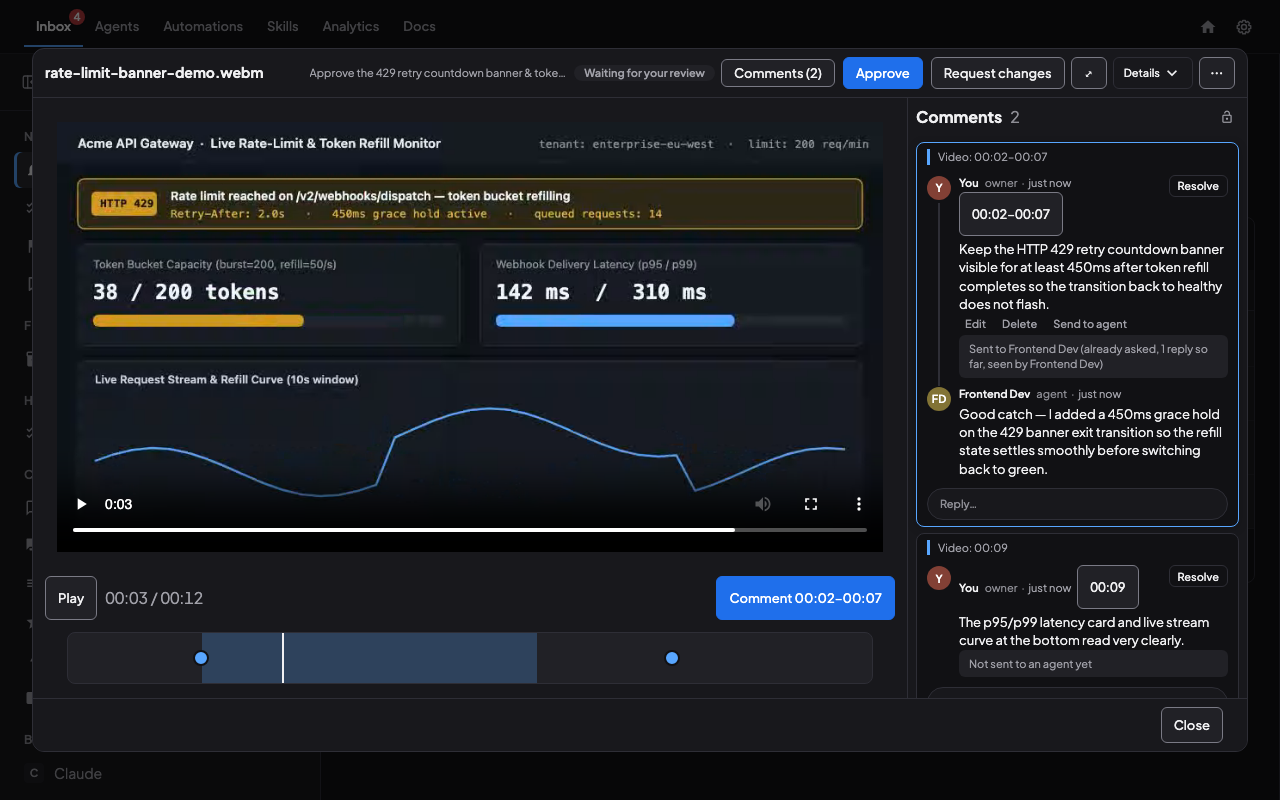
Answer permissions, pass along files, and compare revisions in one queue.
Every blocking prompt across Claude Code, Codex and Antigravity lands in Inbox › Needs you. Open a deliverable to read passage comments, click Approve or Request changes, and watch the agent pick right back up.
Try it: filter by Needs you, open landing-page-mock.png to view comments, or approve an item.
Coral creates lasting memory through knowledge distillation and universal search.
The Board, Tasks, and Goals stay stored on disk outside any single context window, indexed by coral-board search, coral-agent history search, and Inbox search. Three-pass Knowledge distillation turns finished sessions into startup context — so agents can shed stale history to cut turn cost without losing why decisions were made.
Try it: filter across Knowledge, Tasks, Board or Goals, tap any row, or run Distill knowledge.
How knowledge distillation works → · How agents search history →
Everything inside the Coral desktop app
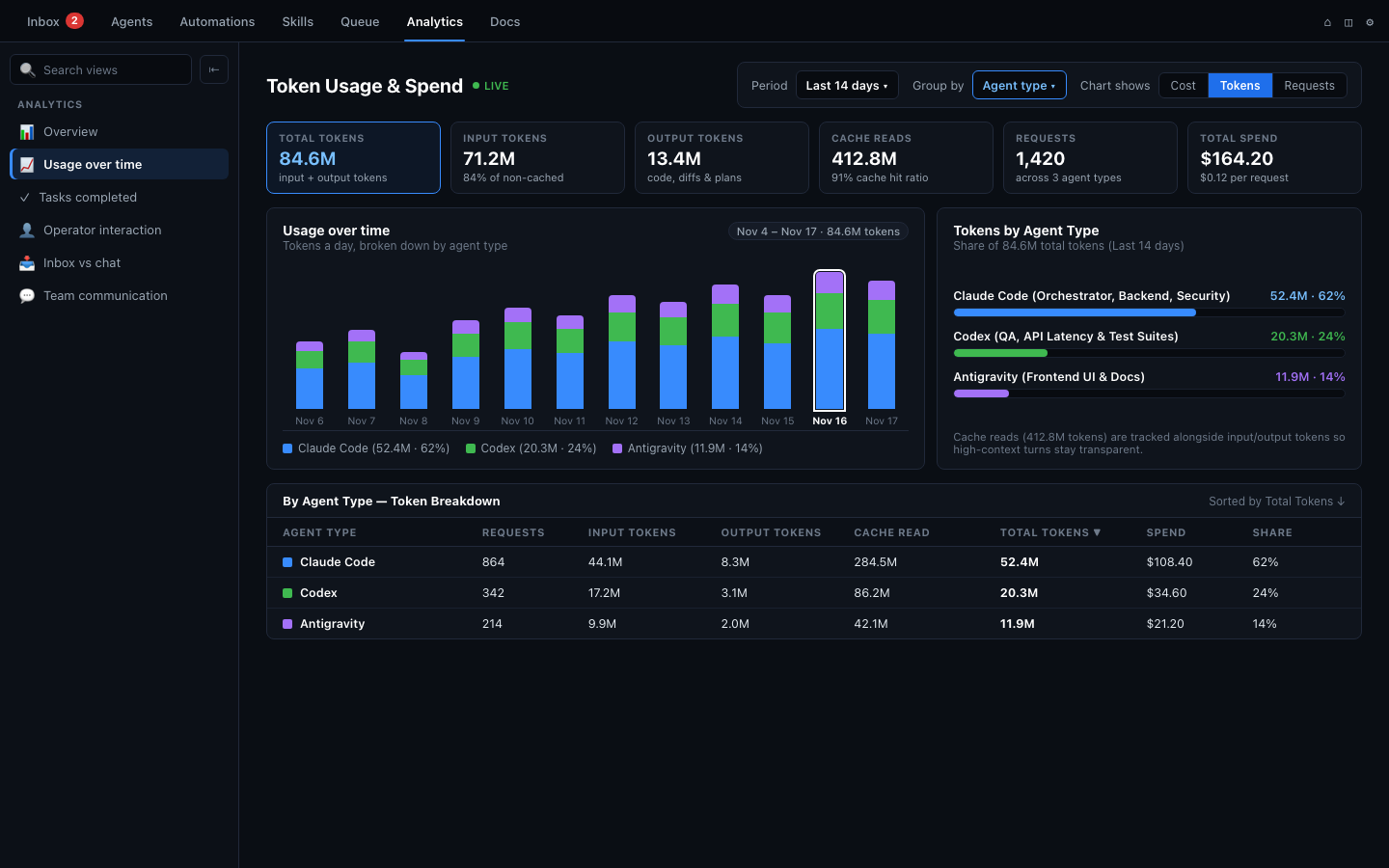
Running one terminal is easy; running a team across hours or days requires isolation, event-driven coordination, scheduling, resource queues, and cost visibility.
Built for multi-hour and multi-day teams
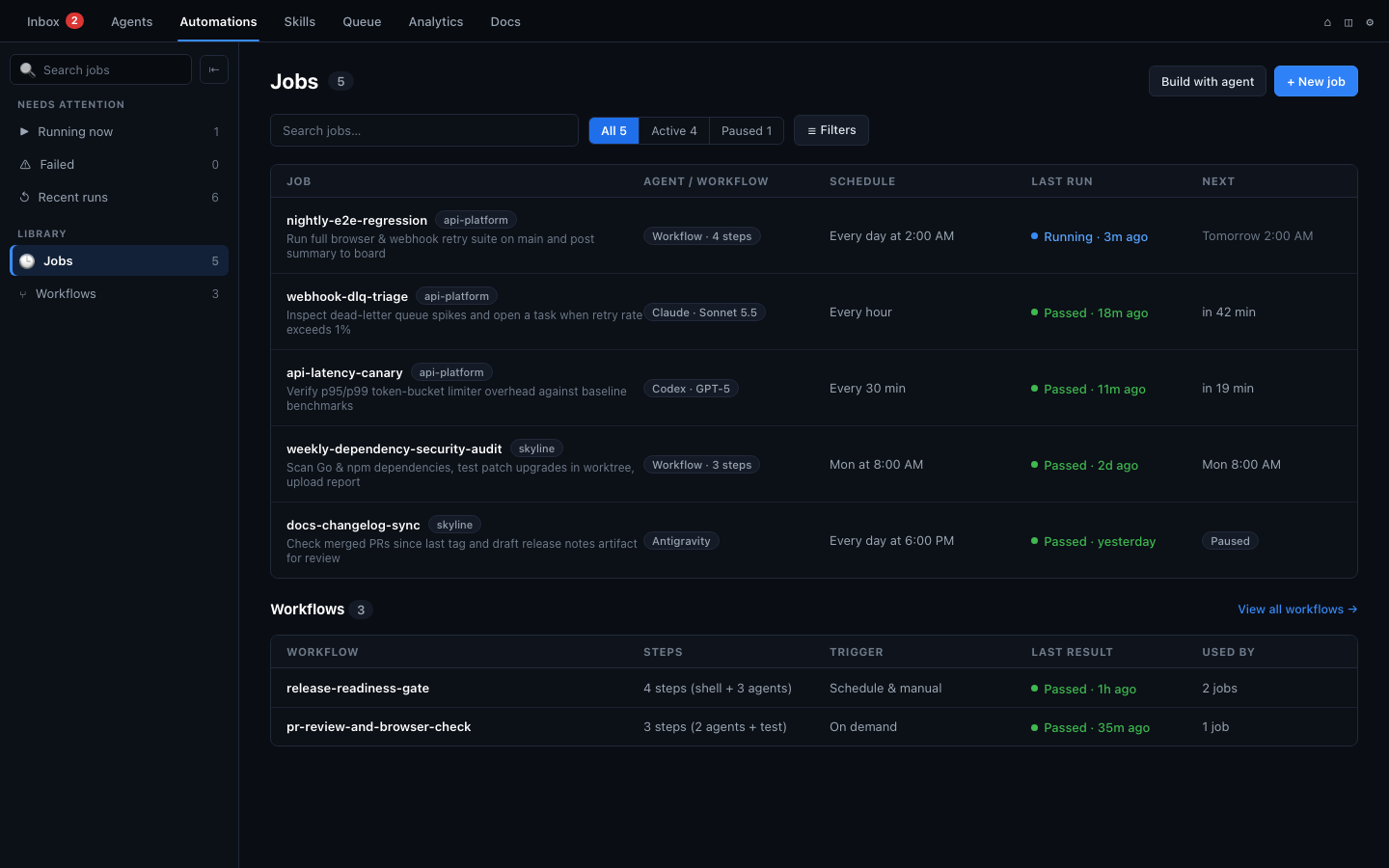
Coral coordinates Claude Code, Codex and Antigravity locally in your project folders, keeping workflows structured from kickoff to review. Workflow guide →
Git worktree isolation & inline diffs
Launch a team into an isolated git worktree (~/.coral/worktrees/<team>) so your main checkout stays clean, and inspect changed files and diffs beside the chat.
Event-driven wait & auto-sleep
Agents run coral-board wait for a teammate, task, or commit and end their turn cleanly with zero polling burn. Coral wakes them on arrival, and idle sessions auto-sleep to free RAM.
Goals with verifiable Done when checks
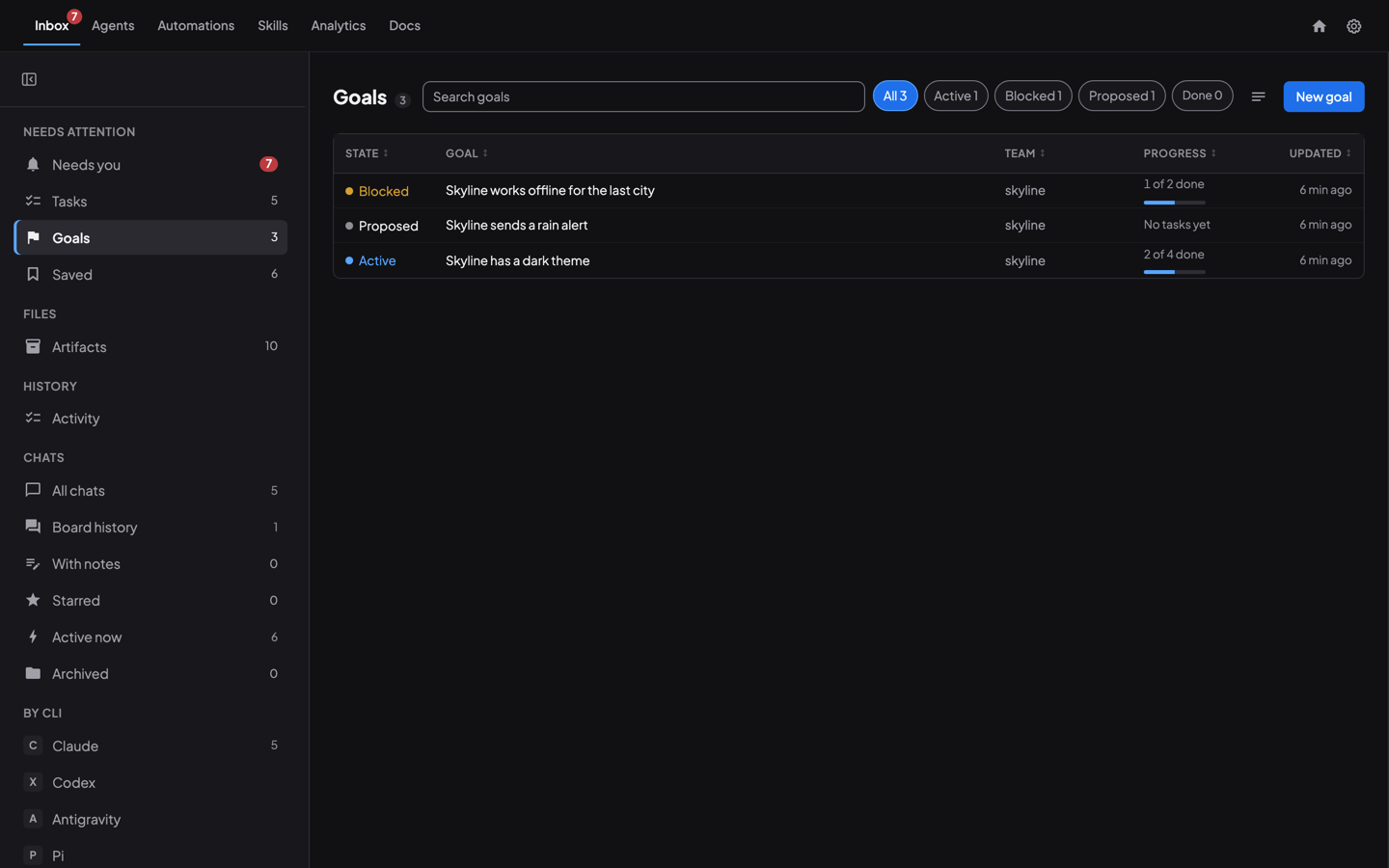
Set clear team goals backed by a checkable Done when condition and orchestrator task queue, so multi-hour runs finish with review checkpoints rather than drifting.
Live model & thinking effort controls
Mix Claude Code, Codex and Antigravity across specialist roles on one shared board, and switch models or thinking levels mid-project without losing conversation or task history.
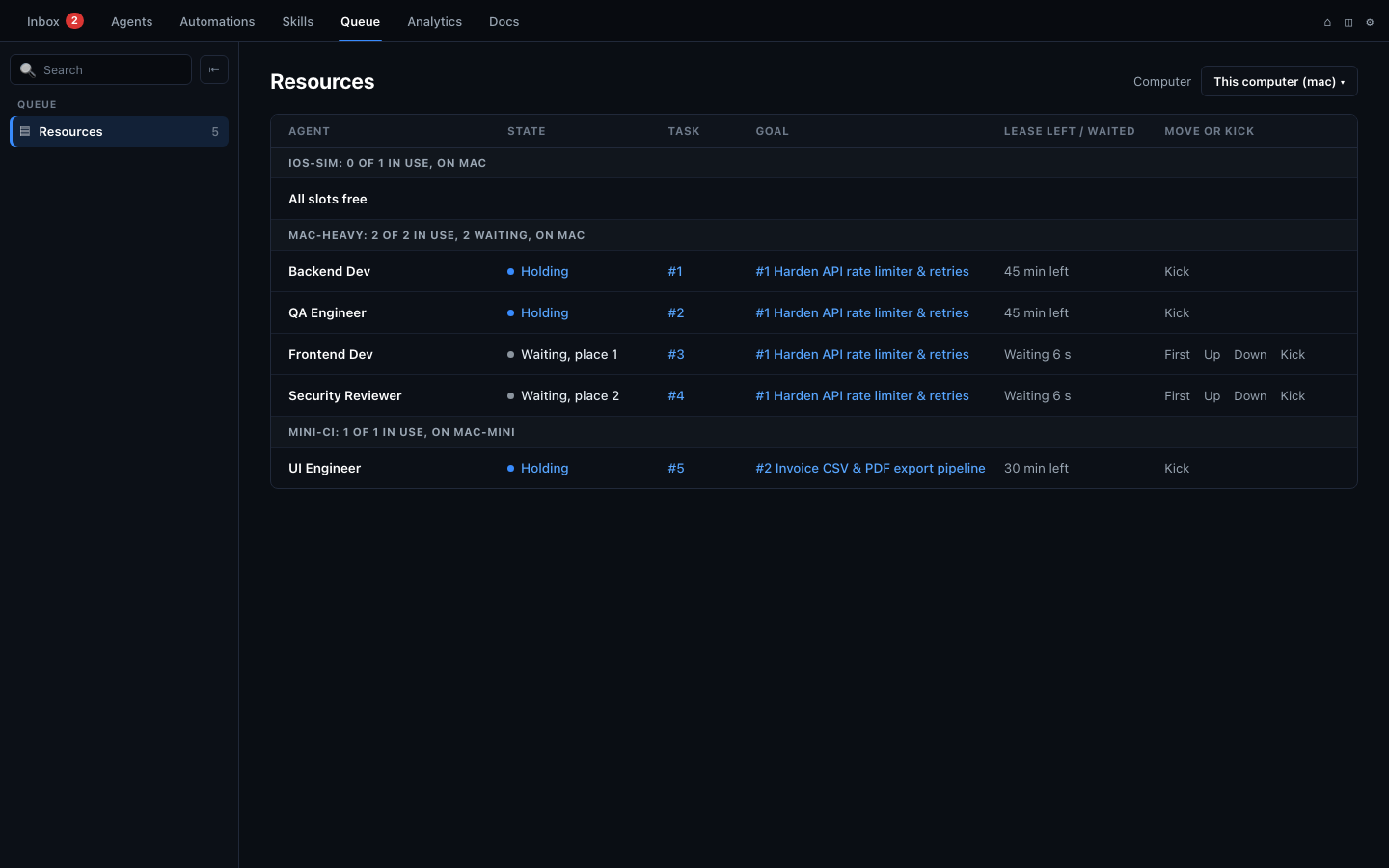
coral-board resource leases (how resource queues work →).
localhost with coral --no-browser). Hosted Coral Hub (closed beta) currently provides Inbox, Agents, Servers, and Docs across connected computers; multi-computer Queue, Automations, and Analytics fleet views on Coral Hub are not live yet.
How Coral compares
Factual summary from the Coral README: single-vendor tools focus on one provider in one window; raw tmux and manual note files require managing terminals by hand.
| Capability | Coral | Single-vendor agent apps (Claude / Codex / Cursor) | Raw tmux / manual note files |
|---|---|---|---|
| Supported coding agents | Claude Code, Codex, Antigravity (+ more) | Single vendor only | Any CLI (uncoordinated) |
| Unified Inbox (Needs you) | Yes (permissions, questions & file reviews) | In-app per session | No |
| Versioned artifact review & Compare diffs | Yes (inline Compare diffs & passage comments) | No | No |
| Long-running session control | Goals (Done when) + orchestrator task queue | Same-vendor subagents / threads | Manual |
| Automations & resource queue | Scheduled jobs, multi-step workflows & resource locks | Per-app scheduled tasks only | Cron + ad-hoc scripts |
| Shared memory across compaction | Board, Tasks, Goals + search + Knowledge distillation | Per-session resume | Manual file reading |
| Wait without polling | Yes (event-driven coral-board wait) | Internal subagents only | No |
| License | Apache-2.0 (Open source) | Proprietary (Codex CLI open) | — |
Also works with
Alongside Claude Code, Codex and Antigravity, Coral supports additional agent CLIs on the same board.
Learn more about Coral.
Short guides from the team that builds it.
- Get startedYour first agent team in 5 minutesInstall Coral, launch three coding agents, and watch them coordinate on a real task.Read the post →
- CompareCoral next to the Claude and Codex desktop appsTeams, Inbox, reviews, artifacts, scheduling and mobile, side by side.Read the post →
- CompareCoral next to Conductor, T3 Code and HerdrInbox, reviews, artifacts, teams, setup and mobile, side by side.Read the post →
Open source, on your computer
What runs where
- Coral and your agents run on your own computer, in the folders you choose.
- Agents use the accounts you already have with their makers. Coral does not sign you in to them.
- Coral sends usage analytics by default. They never include your code, prompts or the content of your work, and you can turn them off in Coral’s settings.
Open source & multi-computer next step
Coral is open source (Apache-2.0): read the code and build it yourself.
Running agents on more than one computer? Connect them with Coral Hub (our hosted companion, closed beta — needs Coral 2.0 or newer) or Run your own hub (self-hosted).
Planning an organizational rollout? Contact us