Claude Code, Codex and Antigravity sessions across your computers show up together in Coral Hub, in one browser tab or on your phone — without opening firewall ports.
Closed beta · Companion to Coral, the open-source desktop app · Opt in via Settings › Coral Hub or coral cloud connect
Coral Hub · Inbox › Needs youSample data
Sample data: Coral Hub brings Agents, Computers, Inbox and Docs into one view across your browser and phone, with no open firewall ports. Your agents, repositories and provider accounts stay on your own computers.
Video
Coral: one message to a team
Ask the Orchestrator for a team, and Coral launches it, tracks the work and sends finished work to your Inbox, across all your computers and your phone.
Every tab name below appears in the desktop and phone views shown on this page.
Agents
Live sessions grouped by computer. Inspect chats, tool steps, and team boards, or message across connected computers.
Computers
Manage connected computers, check online status and Coral version, and control how each machine connects.
Inbox
Needs you (waiting agents & tasks for you), Saved / Saved for later, plus Tasks, Goals, Artifacts, All chats and Board history.
Docs
Step-by-step guides for linking computers, managing access modes, and configuring phone notifications.
Answer an agent from your phone
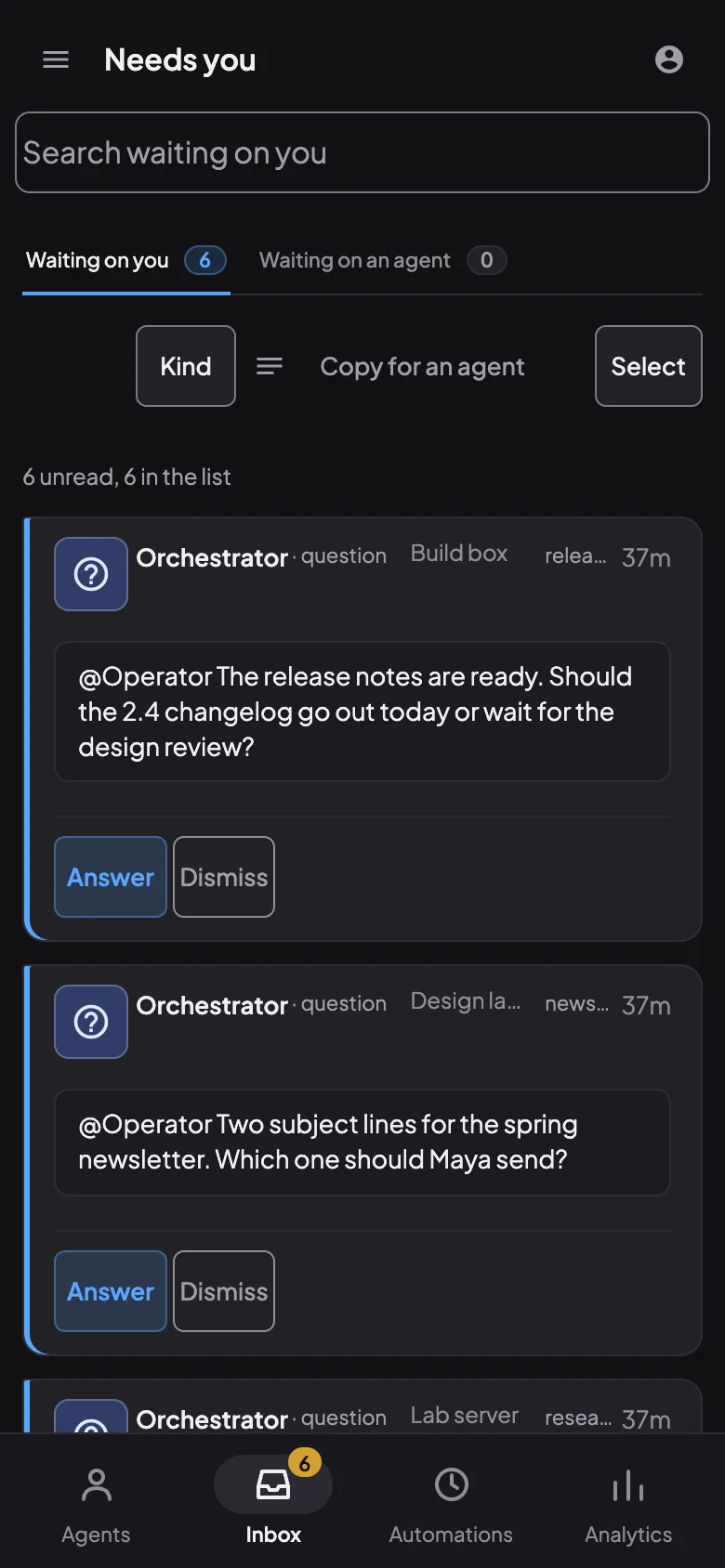
When a push notification tells you an agent needs you, open Inbox › Needs you and tap Answer. To check the conversation afterward, open Agents, find the computer, and open the agent’s chat. You can also check Goals or open the Inbox menu to switch views. See the Hub Inbox guide or connect your first computer.
Sample data: find an agent’s question in Needs you and tap Answer.
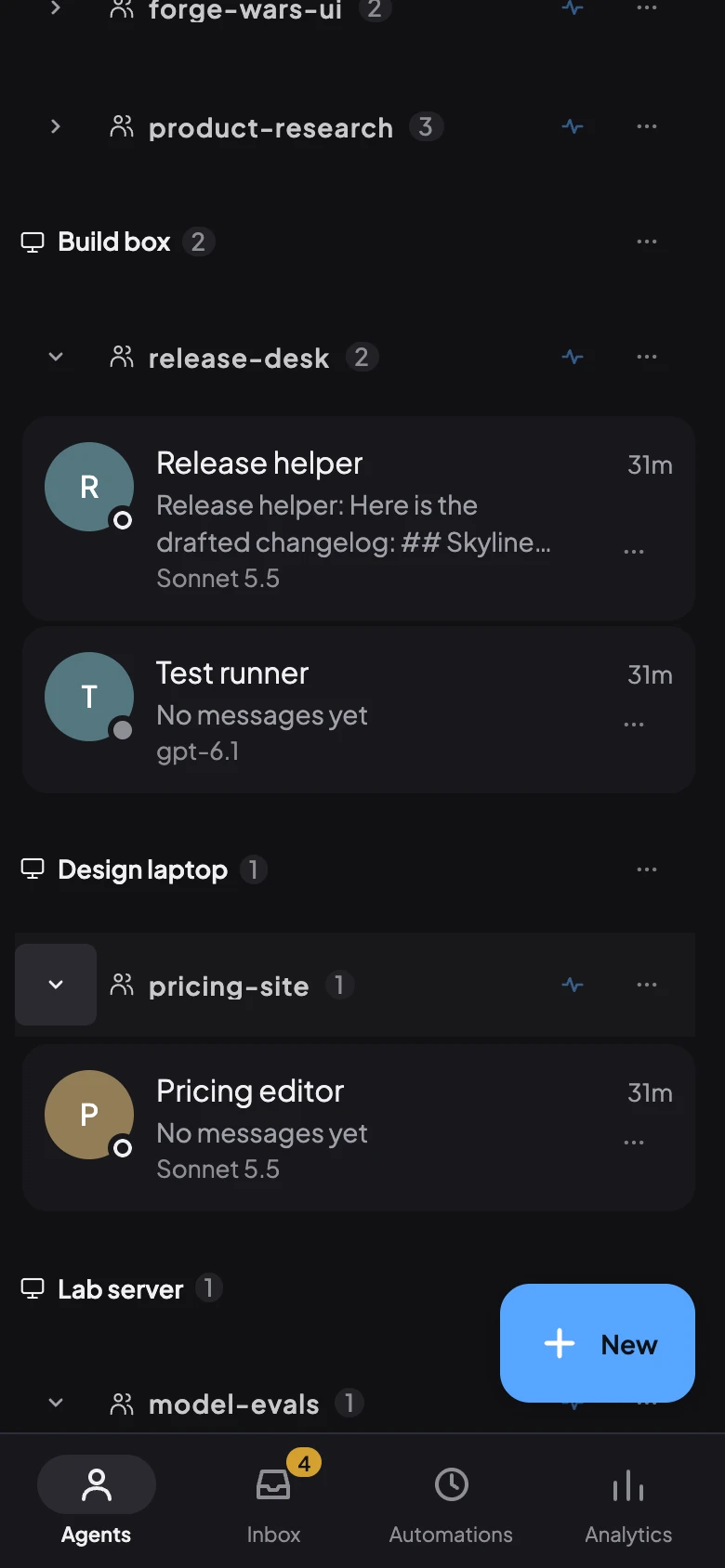
Sample data: find the agent under the computer it runs on.
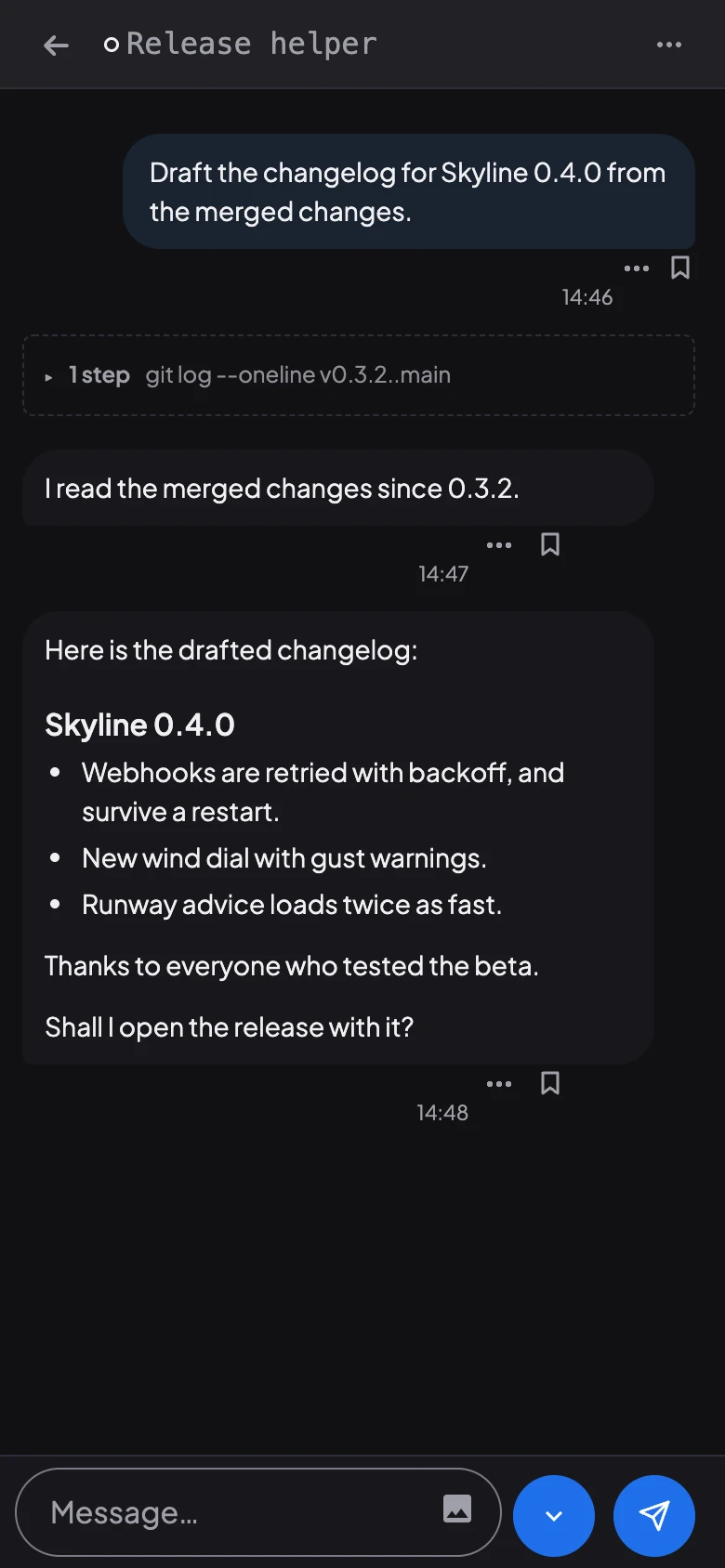
Sample data: open the agent’s chat to see the conversation.
Sample data from an invented studio team.
Multi-computer desktop views
See your agents grouped by computer, open any of them, and see what is waiting on you in one Inbox.
Your computers’ agents in one Inbox
Sample data: questions waiting on you from agents on three computers.
Sample data: the same Inbox on a phone.
Agents grouped by computer
Sample data: agents from four sample computers in one sidebar.
Sample data: the same list on a phone, with agents on two computers.
Open an agent on any computer
Sample data: an agent on another computer, open in chat.
Sample data: the same chat on a phone.
Why Coral Hub
Follow the work across your computers.
A Claude Code session on your laptop. Codex working on a cloud instance. Another team on your Mac mini. See them together instead of checking each computer separately.
See which computer is doing what
Open the Agents and Computers tabs to check online status, find the session you need, and open its chat or team board. Keep repositories, tools, and environments on the computer where they already live.
Needs you brings waiting agents and tasks into one queue across all computers. Saved for later, Tasks, Goals, Artifacts, All chats, and Board history sit beside it in the same Inbox.
Each computer connects outbound to Coral Hub when you opt in from Settings › Coral Hub or coral cloud connect. A fresh Coral install never connects on its own.
Your agents, repositories and provider accounts stay on your own computers. What you open in Coral Hub is encrypted in transit, decrypted only inside our private infrastructure and held in memory while it is relayed. Coral Hub does not save the content of your sessions.
Away from your desk? Open Coral Hub in your browser or on your phone to check an agent’s progress, read its conversation and answer what needs you. Your agents run on your computers with the tools and provider accounts you already use. Needs Coral 2.0 or newer on each computer.
Your computers · Coral 2.0+
Laptop · Build box · Lab serverClaude Code, Codex and Antigravity run locally with your repositories and provider accounts.
Outbound relayNo open firewall ports. Opt in per computer via Settings › Coral Hub or coral cloud connect.
One view anywhere
Browser tab & PhoneCheck Agents, Computers, Inbox and Docs from one place and answer what needs you.